
PIQSY Compare
iPad Air 11-inch (M4) vs iPad Air 13-inch (M4)
Quick answer: The 11-inch iPad Air M4 is the easier choice when your tablet spends much of its life in your hands or bag.
The choice that matters
How much screen is worth carrying?
The 11-inch iPad Air M4 is the easier choice when your tablet spends much of its life in your hands or bag. The 13-inch iPad Air M4 is more appealing when you write, draw or work beside a reference document at a desk. These are the two US 12GB-memory, 128GB-storage, Wi-Fi versions, so this is primarily a size-and-ergonomics decision—not a processor contest.

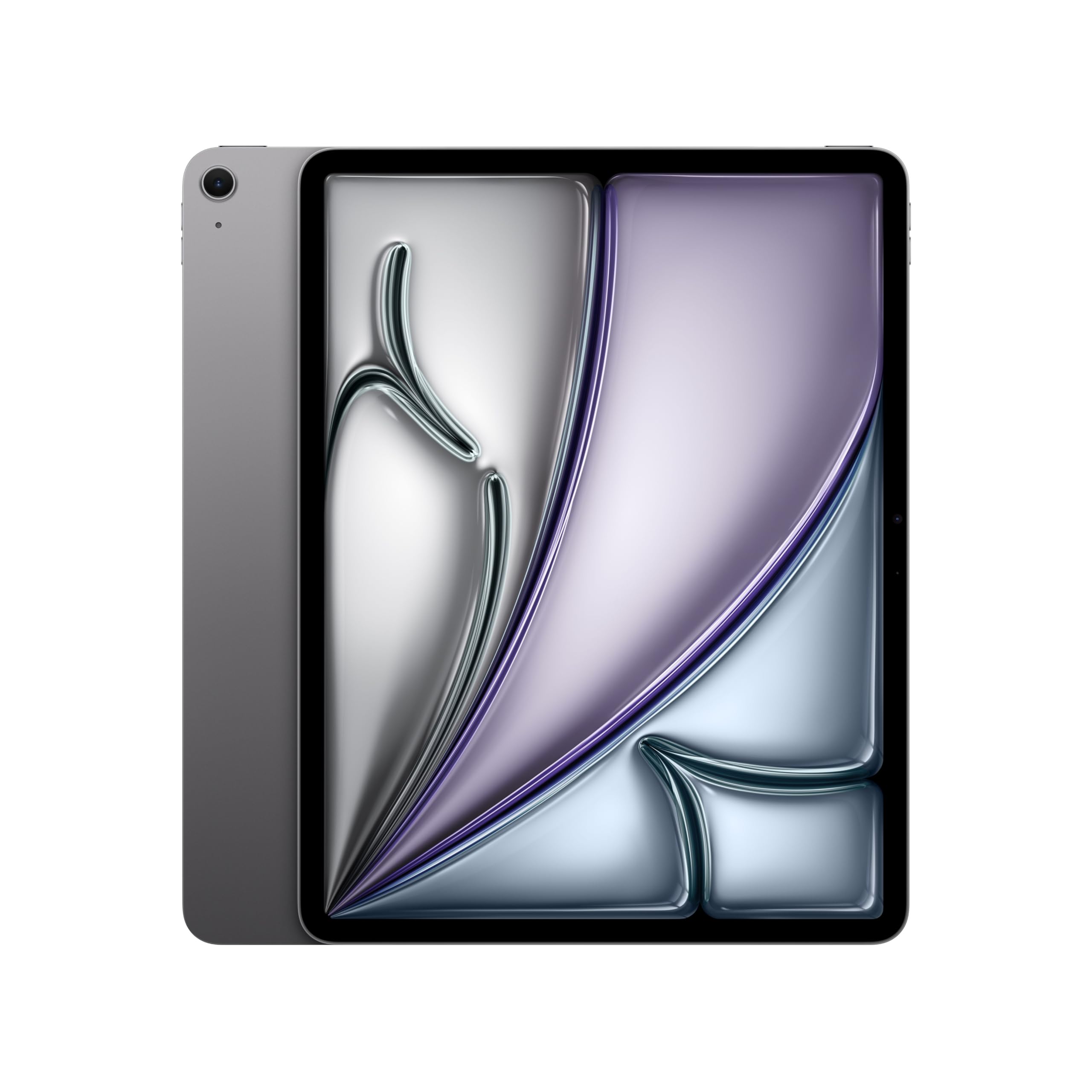
Product comparison
The two models
Product A
iPad Air 11-inch (M4)
Best fit: Handheld reading and carrying
Why choose it: Smaller and more manageable
Main trade-off: Less space for diagrams and split documents
Last checked price
$649.99
Paid link · PIQSY may earn a commission
Product B
iPad Air 13-inch (M4)
Best fit: Desk notes and bigger documents
Why choose it: Larger canvas for working
Main trade-off: Less comfortable for handheld reading
Last checked price
$899.00
Paid link · PIQSY may earn a commission
Some shopping links may pay PIQSY a commission if you make a qualifying purchase. Editorial assessments remain independent. Affiliate disclosure
What matters when choosing
Quick answer: The 11-inch iPad Air M4 is the easier choice when your tablet spends much of its life in your hands or bag. The 13-inch iPad Air M4 is more appealing when you write, draw or work beside a reference document at a desk. These are the two US 12GB-memory, 128GB-storage, Wi-Fi versions, so this is primarily a size-and-ergonomics decision—not a processor contest.
The exact pair: Apple iPad Air M4 11-inch 128GB Wi-Fi versus Apple iPad Air M4 13-inch 128GB Wi-Fi. Both support Apple Pencil Pro, but the Pencil and keyboard accessories are separate.
What you'll actually notice
The larger Air makes content feel less squeezed. A PDF with footnotes, a reference image and your notes can all benefit from more screen area. That's most noticeable when the tablet is resting on a desk, propped in a case or used as part of a regular study setup.
The smaller Air is easier to pick up. Reading in bed, holding a tablet on public transit or carrying it between meetings can make the 11-inch model feel like the more natural object.
Apple lists the 11-inch Wi-Fi Air at about 1.02 pounds and the 13-inch Wi-Fi Air at about 1.36 pounds. Those figures are for the tablets, not an accessory-inclusive setup. The difference is more important when you hold the device away from your body than when it sits on a table.
You don't have to pay for an M4 upgrade on one size while settling for an older chip on the other. Both are M4 models, and both carry 12GB unified memory in the compared US configurations. That simplifies the decision.
What changes the choice
Handheld reading favors the 11-inch
If you use the tablet one-handed or hold it for long stretches, the smaller format deserves priority. It's easier to position on a crowded airline tray, fit into a small shoulder bag or use while walking between appointments.
The same 128GB storage and iPadOS ecosystem mean a shorter reading session isn't limited by a different app store. A larger screen cannot compensate for a device you avoid using because it's too awkward to hold.
If you use your tablet mainly for reading rather than typing or drawing, consider the case weight as well. Even a modest protective cover changes balance.
Bigger pages favor the 13-inch
A student who marks up large course PDFs may benefit from the 13-inch canvas, especially if they want notes or a browser visible beside their reading. An illustrator may prefer the added elbow room for tools and reference images.
Apple's 13-inch Air offers a 2732-by-2048 Liquid Retina display, compared with 2360-by-1640 on the 11-inch. The useful consequence isn't a claim of better visual quality. Both are 264 pixels per inch in Apple's specifications. The larger model simply gives you more display area.
That distinction matters: don't buy the bigger tablet expecting a sharper image because it has more total pixels. It's primarily a larger workspace, not a higher-density screen.
Pencil support doesn't pick a winner
Both M4 Air sizes support Apple Pencil Pro, Apple Pencil (USB-C), and compatible hover features. If your goal is handwriting, either can support the basic input method.
The decision is therefore about how much room you need. A quick sketch and a handwritten grocery list are comfortable in a compact format; a technical diagram or a long drawing session may benefit from a larger canvas.
The Apple Pencil isn't included with either base tablet. If you plan to use it for class every day, include the correct Pencil in both basket totals. Don't assume that Apple's Magic Keyboard for one size will automatically fit the other.
Multitasking depends on space and app behavior
The 13-inch display may be less cramped for two supported iPad windows. But a bigger panel isn't an automatic guarantee of desktop multitasking. Application design, operating-system features and how you arrange documents still affect the result.
If your workflow involves spreadsheets and detailed diagrams, test those exact tasks on the sizes you're considering. If it uses one app at a time, the smaller model may feel equally capable.
Neither size runs every Windows or Mac application. If a specialist desktop package is a hard requirement, that is a reason to examine another platform, not to pick the 13-inch Air.
Equal capacity makes storage a separate decision
Both selected models have 128GB storage and Wi-Fi. A bigger screen does not bring extra storage. If you need to download a large library of media, design files or games, a different capacity might matter more than size.
A shopper choosing between a 13-inch 128GB Air and an 11-inch 256GB Air is making two decisions at once. This comparison deliberately holds storage constant so the size trade-off stays clear.
Likewise, cellular options cost differently and should be compared as distinct US configurations. Don't compare a Wi-Fi discount to a cellular model and describe the outcome as a size premium.
Battery results are not interchangeable across sizes
Apple publishes battery estimates for its tablets under specified conditions. We have not established a directly controlled, same-method endurance test showing either US size is the superior everyday battery choice.
The larger display can change power use depending on brightness and content, while a different battery size can offset some of that. Don't invent a straightforward rule based only on screen area.
For an all-day campus schedule, plan charging access and compare independent same-method tests where available. Your actual apps matter more than a single marketing-hour figure.
The practical choice
Take the 11-inch model if portability is a requirement rather than a nice-to-have. Take the 13-inch model if you repeatedly run out of room with notes, reference images and documents.
This is a classic example of a smaller device being the better daily tool, even when a larger display looks more impressive in a store.
When to choose the 11-inch Air
Choose it for frequent commuting, reading while holding the tablet, travel and basic note-taking. It is also a sensible size for a shared household tablet that moves from room to room.
If you use a case and Pencil, verify the accessory dimensions and carrying weight as part of the decision.
When to choose the 13-inch Air
Choose it for drawing, reviewing detailed layouts, side-by-side learning material and longer desk-based study sessions. It provides more room without changing from iPadOS to a different platform.
Just be comfortable with its larger footprint, case cost and the way you'll carry it.
Choose neither when
Choose another platform if your must-have software runs only on Windows or macOS. Choose a different storage tier if 128GB is insufficient. If you need OLED/ProMotion for a specific visual workflow, compare an iPad Pro rather than expecting either Air display to provide those features.
PIQSY conclusion
There is no hidden performance champion in this comparison. The two M4 Air sizes share the same broad processing and pen platform. Handheld convenience favors the 11-inch; larger working space favors the 13-inch.
Choose according to how you actually use a tablet, then check the exact US accessory-inclusive price. Buying the right size often improves daily life more than buying a bigger specification sheet.
Before buying: Hold both sizes if possible, confirm 128GB Wi-Fi and 12GB memory on each, and check Pencil, keyboard, case and carrying plans.
Evidence notes — private only
- US Apple M4 Air size, weight, screen, Pencil and storage: https://www.apple.com/ipad-air/specs/
- No borrowed independent battery claims or live price comparisons.
Final comparison
Which fits your priorities?
Product A
iPad Air 11-inch (M4)
Choose when: Students who handwrite notes regularly; illustrators who need Apple Pencil Pro compatibility; people who want a capable iPad without the larger Pro format.
Main advantage: A useful balance of M4 processing headroom, Pencil Pro support and a compact canvas.
Trade-off: Premium input accessories cost extra, while the display is still an LCD rather than a Pro OLED.
Read Verdict →Product B
iPad Air 13-inch (M4)
Choose when: Students working with large PDFs; people who draw or mark up documents regularly; home and office users who want a spacious iPadOS screen.
Main advantage: A roomy canvas with Apple Pencil Pro compatibility and M4 headroom.
Trade-off: The larger device is less pleasant to carry and hold, and its screen is still LCD rather than Pro OLED.
Read Verdict →Product details
Model details
See available model specifications
| Detail | iPad Air 11-inch (M4) | iPad Air 13-inch (M4) |
|---|---|---|
| US model | 11-inch iPad Air M4 | iPad Air 13-inch M4 |
| Product Dimensions | 9.75 x 7.03 x 0.24 inches | 11.05 x 8.46 x 0.24 inches |
| Item Weight | 1.02 pounds | 1.36 pounds |
| Manufacturer | Apple | Apple |
| Item model number | MH304LL/A | MH5N4LL/A |
| Batteries | 1 D batteries required. (included) | 1 D batteries required. (included) |
| Date First Available | March 4, 2026 | March 4, 2026 |
| Brand | Apple | Apple |
| Model Name | iPad Air | iPad Air |
| Memory Storage Capacity | 128 GB | 128 GB |
| Screen Size | 11 inches | 13 inches |
| Display Resolution Maximum | 2360-by-1640-pixel resolution at 264 ppi | 2732-by-2048-pixel resolution at 264 ppi |
| Audio Calling<> | FaceTime audioRelay cellular calls from your nearby iPhone with the Phone app | FaceTime audioRelay cellular calls from your nearby iPhone with the Phone app |
| Speakers | Landscape stereo speakers | Landscape stereo speakers |
| Microphones | Dual microphones for calls, video recording, and audio recording | Dual microphones for calls, video recording, and audio recording |
| Wireless | Apple N1 wireless networking chipWi-Fi 7 (802.11be) with 2x2 MIMOSimultaneous dual bandBluetooth 6Thread networking technology | Apple N1 wireless networking chipWi-Fi 7 (802.11be) with 2x2 MIMOSimultaneous dual bandBluetooth 6Thread networking technology |
| Sensors | Touch IDThree‐axis gyroAccelerometerBarometerAmbient light sensor | Touch IDThree‐axis gyroAccelerometerBarometerAmbient light sensor |
| Touch ID | Unlock iPadSecure personal data within appsMake purchases from the iTunes Store, App Store, and Apple Books | Unlock iPadSecure personal data within appsMake purchases from the iTunes Store, App Store, and Apple Books |
| Charging and Expansion | USB-C port with support for:ChargingDisplayPortUSB 3 (up to 10Gb/s) | USB-C port with support for:ChargingDisplayPortUSB 3 (up to 10Gb/s) |
Source: exact-US retained listing observations (latest checked 11/3/2026). Check current configuration with the manufacturer; these are not comparative performance tests.
Keep comparing
Related comparisons worth checking.
iPad A16 vs iPad Air M4: where does the upgrade actually help?
Buy the iPad A16 if you mainly stream, read, browse and do everyday school tasks. Consider the 11-inch iPad Air M4 if Apple Pencil Pro, frequent creative work or a specific demanding iPad app matters. Both US configurations compared here have 128GB storage and Wi-Fi. The Air's extra capabilities are real, but they are not a reason to spend more when your tasks never reach them.
iPad Air M4 vs iPad Pro M5 11-inch: is the Pro screen worth it?
Choose the 11-inch iPad Air M4 for frequent notes, creative apps and an excellent iPad experience when LCD is enough. Consider the 11-inch iPad Pro M5 if you specifically value tandem OLED, ProMotion up to 120Hz, or a demanding supported creative workflow. This is a matched 256GB Wi-Fi, 12GB memory comparison. The Pro has real hardware advantages; whether you benefit is another question.
Surface Pro 12 vs iPad Air 13 M4: decide by software before screen size
Choose the Surface Pro 12-inch (2nd Edition) if you need supported Windows applications and want a detachable touchscreen PC. Choose the 13-inch iPad Air M4 if your core tasks are iPadOS note-taking, drawing and compatible tablet apps on a larger screen. This exact US comparison is the Black Snapdragon X2 Plus six-core Surface 16GB/256GB versus iPad Air M4 13-inch 12GB/256GB Wi-Fi. The latter is a different storage tier from the separate 128GB Air Verdict.
Our research approach
How to interpret the product details.
Our research approach
How to interpret the product details.