
PIQSY Compare
Surface Pro 12-inch (12th Edition) vs iPad Air 13-inch (M4)
Quick answer: Choose the Surface Pro 12-inch (2nd Edition) if you need supported Windows applications and want a detachable touchscreen PC.
The choice that matters
Full Windows apps or tablet-first workflows?
Choose the Surface Pro 12-inch (2nd Edition) if you need supported Windows applications and want a detachable touchscreen PC. Choose the 13-inch iPad Air M4 if your core tasks are iPadOS note-taking, drawing and compatible tablet apps on a larger screen. This exact US comparison is the Black Snapdragon X2 Plus six-core Surface 16GB/256GB versus iPad Air M4 13-inch 12GB/256GB Wi-Fi. The latter is a different storage tier from the separate 128GB Air Verdict.
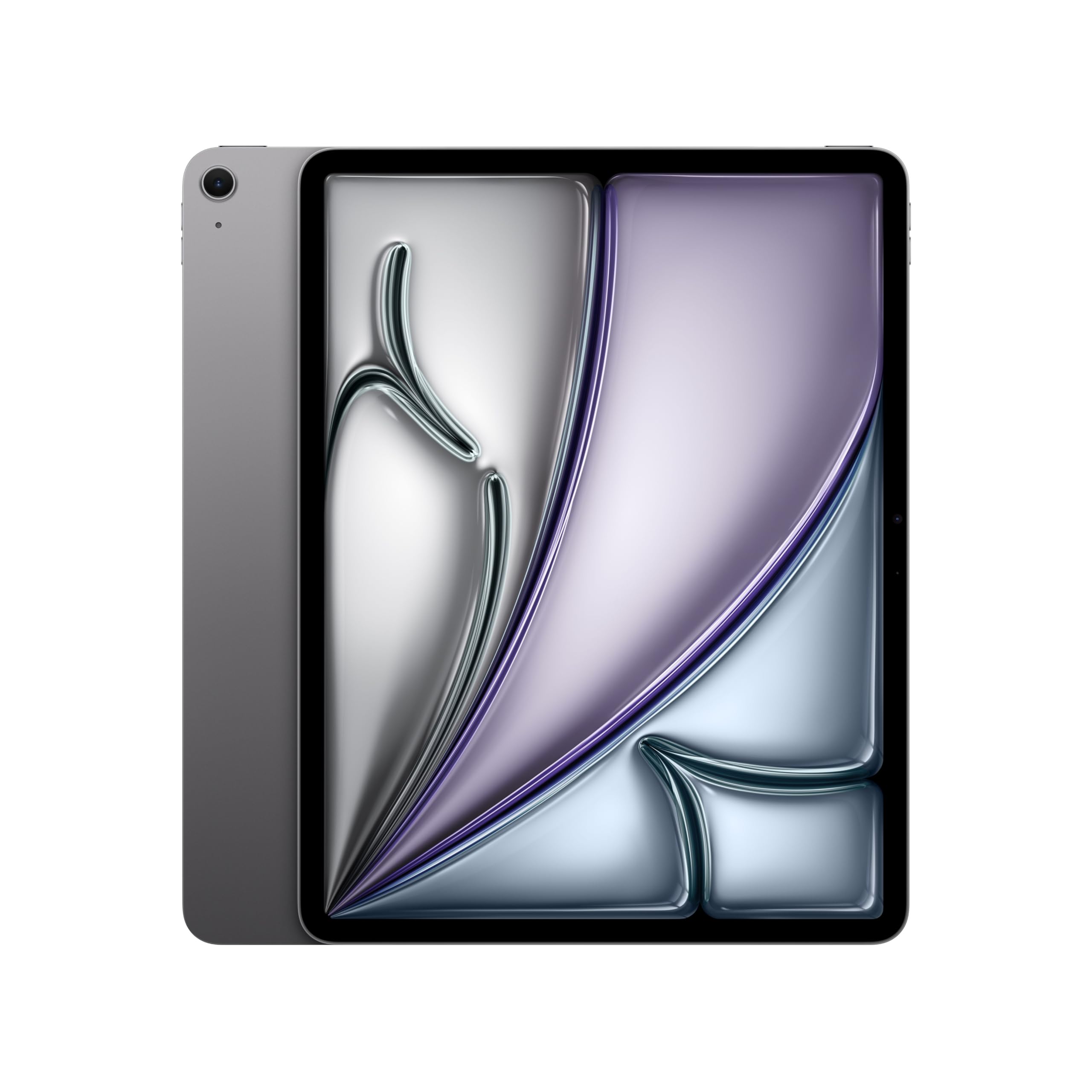
Product comparison
The two models
Product A
Surface Pro 12-inch (12th Edition)
Best fit: Supported Windows software and detachable PC work
Why choose it: Windows environment for compatible apps
Main trade-off: Arm software and peripheral checks; keyboard extra
Last checked price
Price not verified
Product B
iPad Air 13-inch (M4)
Best fit: iPadOS drawing and large-screen note-taking
Why choose it: Pencil Pro-compatible larger iPad canvas
Main trade-off: Cannot run required Windows-only programs
Last checked price
$899.00
Paid link · PIQSY may earn a commission
Some shopping links may pay PIQSY a commission if you make a qualifying purchase. Editorial assessments remain independent. Affiliate disclosure
What matters when choosing
Quick answer: Choose the Surface Pro 12-inch (2nd Edition) if you need supported Windows applications and want a detachable touchscreen PC. Choose the 13-inch iPad Air M4 if your core tasks are iPadOS note-taking, drawing and compatible tablet apps on a larger screen. This exact US comparison is the Black Snapdragon X2 Plus six-core Surface 16GB/256GB versus iPad Air M4 13-inch 12GB/256GB Wi-Fi. The latter is a different storage tier from the separate 128GB Air Verdict.
Exact US pair: Surface Pro 12 2nd Edition, Black, 16GB RAM/256GB UFS Wi-Fi versus iPad Air 13-inch M4, 12GB memory/256GB Wi-Fi.
What you'll actually notice
They look like tablets, but their operating systems are fundamentally different. The Surface runs Windows on Arm; the Air runs iPadOS. That distinction affects applications, accessories, file workflows and what you can reasonably expect to replace.
If your required application exists as a supported Windows program, Surface may be a strong fit. If you use Apple Pencil Pro in a drawing app that only runs on iPadOS, the Air may be the right tool.
There is no point comparing processor speed until you have established that the device runs your required software.
What changes the choice
Windows on Arm requires an actual compatibility list
The Surface's Snapdragon X2 Plus six-core uses Arm architecture rather than an Intel or AMD x86 processor. Many mainstream Windows applications can run, but specific drivers, legacy programs, plugins and security components may not.
Write down three programs you absolutely cannot live without. Check their developers' current Windows-on-Arm support, including any connected hardware.
A corporate VPN, specialist medical application or exam platform can be a hard requirement. If one fails, do not buy the Surface on the broad promise that it "runs Windows."
iPadOS has a different strength
The 13-inch Air supports Apple Pencil Pro and compatible iPadOS applications, making it attractive for drawing, handwritten notes, PDF markup and entertainment.
Its bigger canvas can give creative tools and reference documents more room. That's a real benefit for supported workflows, not a claim that the tablet runs full macOS or Windows applications.
If a desktop spreadsheet plugin or Windows driver is required, iPadOS isn't an automatic alternative. Choose the operating system that meets the actual job.
Check the correct storage tiers
This Compare uses 256GB on both sides. The Surface has 16GB RAM; the Air has 12GB unified memory. Operating systems manage memory differently, so the numbers are not a direct cross-platform ranking.
The standalone Verdict for the 13-inch Air describes a 128GB model. Do not use that Verdict's storage price when comparing against this 256GB pair.
If you need more than 256GB locally, price separate higher-storage configurations rather than silently assuming capacity is equal.
The screen size and keyboard favor different habits
The Surface's 12-inch size is more compact, while the iPad Air offers a larger 13-inch drawing and reference canvas. For someone who spends hours annotating documents, the space may be welcome.
For someone who types regularly, the Surface with a compatible keyboard can feel closer to a PC workflow. But the keyboard is a separate purchase, and a detachable arrangement may not be as convenient on a lap as a conventional laptop.
The Air's Magic Keyboard is also sold separately. Neither base tablet should be compared with a laptop as if all necessary input accessories were free.
Charging packages differ
Microsoft's US Surface Pro 12 second-edition base box does not include a wall charger; it calls for a compatible USB-C power adapter. Apple's US iPad Air M4 specification lists a USB-C power adapter in its package.
That is an actionable cost difference for a buyer who doesn't already own the right charger. Verify the exact current seller bundle, because promotions can add accessories without changing the base manufacturer specification.
Add pen, keyboard, case and power adapter to the actual US total rather than comparing bare device prices.
Don't invent cross-platform test results
The Air's M4 and Surface's X2 Plus are different processor families on different operating systems. We have no independent, directly comparable measured result proving one is universally faster or lasts longer.
Real battery usage depends on the applications, brightness, wireless activity and the way you use accessories. Manufacturer maximum-hour figures are not interchangeable lab tests.
Choose by software compatibility, physical setup and budget before considering benchmark scores.
The practical choice
Start with the software requirement. Supported Windows apps lead you toward Surface; iPadOS creative and note apps lead you toward Air. Then compare size, keyboard/pen costs and actual storage.
When to choose Surface Pro 12
Choose Surface when Windows on Arm supports your essential programs, you want PC-style workflows and its compact screen is suitable.
When to choose iPad Air 13 M4
Choose Air for a larger iPadOS canvas and Apple Pencil Pro workflow, provided you don't need desktop-only software.
Choose neither when
If a required Windows program or driver doesn't run on Arm, investigate an Intel/AMD Windows PC. If your necessary software runs on neither platform, don't force either tablet into the role. If 256GB storage is insufficient, change configuration first.
PIQSY conclusion
The Surface and Air are different software tools that happen to be tablets. Choose Windows on Arm only after validating your apps. Choose iPadOS when its touch-and-pen workflows are the real reason for purchase.
Before buying: Confirm Black X2 Plus six-core Surface versus 13-inch M4 Air 256GB, Windows-on-Arm compatibility, pen/keyboard costs and charging accessories.
Evidence notes — private only
- Microsoft Surface 12 2nd Edition US: https://www.microsoft.com/en-us/store/configure/surface-pro-12-inch-2nd-edition/8wg5vqp0x4bw
- Apple M4 Air US: https://www.apple.com/ipad-air/specs/
- No general x86 driver compatibility or independent speed/battery winner asserted.
Final comparison
Which fits your priorities?
Product A
Surface Pro 12-inch (12th Edition)
Choose when: People whose everyday work is compatible with Windows on Arm; mobile students and professionals who want touch plus a keyboard option; travelers who value compact Windows flexibility.
Main advantage: A real Windows environment in a touch-friendly 12-inch format.
Trade-off: The keyboard, pen and wall charger can add to the cost, and some Windows software needs compatibility checking.
Read Verdict →Product B
iPad Air 13-inch (M4)
Choose when: Students working with large PDFs; people who draw or mark up documents regularly; home and office users who want a spacious iPadOS screen.
Main advantage: A roomy canvas with Apple Pencil Pro compatibility and M4 headroom.
Trade-off: The larger device is less pleasant to carry and hold, and its screen is still LCD rather than Pro OLED.
Read Verdict →Product details
Model details
See available model specifications
| Detail | Surface Pro 12-inch (12th Edition) | iPad Air 13-inch (M4) |
|---|---|---|
| US model | Surface Pro 12-inch (2nd Edition) | iPad Air 13-inch M4 |
| Product Dimensions | Not recorded | 11.05 x 8.46 x 0.24 inches |
| Item Weight | Not recorded | 1.36 pounds |
| Manufacturer | Not recorded | Apple |
| Item model number | Not recorded | MH5N4LL/A |
| Batteries | Not recorded | 1 D batteries required. (included) |
| Date First Available | Not recorded | March 4, 2026 |
| Brand | Not recorded | Apple |
| Model Name | Not recorded | iPad Air |
| Memory Storage Capacity | Not recorded | 128 GB |
| Screen Size | Not recorded | 13 inches |
| Display Resolution Maximum | Not recorded | 2732-by-2048-pixel resolution at 264 ppi |
| Audio Calling<> | Not recorded | FaceTime audioRelay cellular calls from your nearby iPhone with the Phone app |
| Speakers | Not recorded | Landscape stereo speakers |
| Microphones | Not recorded | Dual microphones for calls, video recording, and audio recording |
| Wireless | Not recorded | Apple N1 wireless networking chipWi-Fi 7 (802.11be) with 2x2 MIMOSimultaneous dual bandBluetooth 6Thread networking technology |
| Sensors | Not recorded | Touch IDThree‐axis gyroAccelerometerBarometerAmbient light sensor |
| Touch ID | Not recorded | Unlock iPadSecure personal data within appsMake purchases from the iTunes Store, App Store, and Apple Books |
| Charging and Expansion | Not recorded | USB-C port with support for:ChargingDisplayPortUSB 3 (up to 10Gb/s) |
Source: exact-US retained listing observations (latest checked 11/3/2026). Check current configuration with the manufacturer; these are not comparative performance tests.
Keep comparing
Related comparisons worth checking.
Our research approach
How to interpret the product details.
Our research approach
How to interpret the product details.