
PIQSY verdict
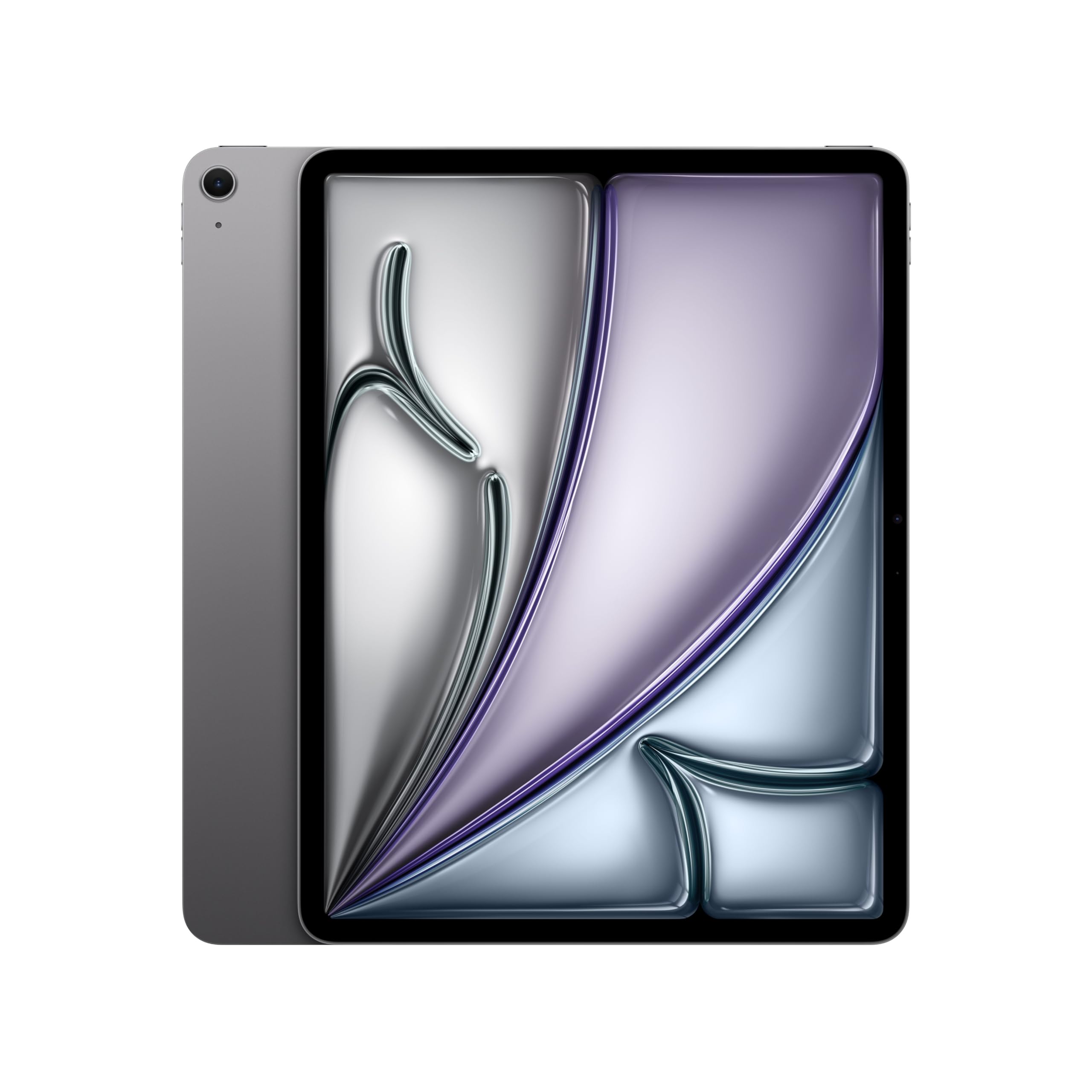
iPad Air 13-inch (M4)
The 13-inch iPad Air M4 is a compelling choice if you want more room for handwritten notes, reference documents, diagrams and creative apps without paying for an iPad Pro's OLED The larger device is less pleasant to carry and hold, and its screen is still LCD rather than Pro OLED.
US modeliPad Air 13-inch M4
Best fit
- Students working with large PDFs
- people who draw or mark up documents regularly
- home and office users who want a spacious iPadOS screen.
Skip if
- You prefer holding a tablet for long periods, mainly stream shows
- need native Windows desktop applications.
Biggest reason to buy
A roomy canvas with Apple Pencil Pro compatibility and M4 headroom.
Main compromise
The larger device is less pleasant to carry and hold, and its screen is still LCD rather than Pro OLED.
Last checked price
$899.00
Amazon rating
★ 4.6 · 527 ratings
Amazon.com snapshot · Nov 3, 2026
Paid link · PIQSY may earn a commission
Some shopping links may pay PIQSY a commission if you make a qualifying purchase. Editorial assessments remain independent. Affiliate disclosure
What matters
Why it earns consideration — and why you might skip it.
Decision snapshot
Choose it for
Students working with large PDFs; people who draw or mark up documents regularly; home and office users who want a spacious iPadOS screen.
Know before buying
You prefer holding a tablet for long periods, mainly stream shows, or need native Windows desktop applications.
Quick answer: The 13-inch iPad Air M4 is a compelling choice if you want more room for handwritten notes, reference documents, diagrams and creative apps without paying for an iPad Pro's OLED display. The selected US model is the 128GB Wi-Fi version with 12GB unified memory. The most important question isn't whether 13 inches sounds better than 11; it's whether you spend enough time at a desk or with two things open to justify carrying a bigger tablet.
Best fit: Students working with large PDFs; people who draw or mark up documents regularly; home and office users who want a spacious iPadOS screen.
Skip it if: You prefer holding a tablet for long periods, mainly stream shows, or need native Windows desktop applications.
Biggest reason to buy: A roomy canvas with Apple Pencil Pro compatibility and M4 headroom.
Main compromise: The larger device is less pleasant to carry and hold, and its screen is still LCD rather than Pro OLED.
Who it fits
The 13-inch Air is for people who have run out of space on a smaller tablet. If you annotate academic papers, keep handwritten notes beside slides or arrange reference material while sketching, the extra real estate can feel more valuable than a faster processor. It's also useful when the tablet lives on a desk stand for video calls, recipes and project planning.
Apple's US specification identifies the 13-inch M4 Air with 12GB of unified memory. Here we're looking specifically at 128GB Wi-Fi. That distinction matters because a 256GB upgrade changes what you can carry offline, while a cellular model changes the connectivity and total cost. Do not conflate the cheapest 128GB configuration with the storage needs of a serious video-editing project.
Its roughly 1.36-pound Wi-Fi weight makes sense on a table, but you may feel it on a long commute. The 11-inch Air is about 1.02 pounds by Apple's figures. A couple of tenths of a pound can be surprisingly noticeable when you are holding a device above your lap or walking between appointments.
Both models run iPadOS. If your entire reason for buying a large tablet is to install Windows applications, the screen size will not solve that operating-system mismatch. Check software before you fall in love with the form factor.
What changes the decision
More workspace is the point, not a trophy
The 13-inch Air offers a large, fully laminated Liquid Retina LCD with antireflective coating. Apple lists 2732-by-2048 resolution, but you don't need that number to understand the benefit: two pages, a large PDF or a detailed drawing can be less cramped than on an 11-inch tablet.
A bigger canvas may help when you keep a reference photo visible while sketching, or when you're correcting a document with comments at the side. It won't automatically make every app efficient in split view, and it is still smaller than many laptop displays. Test the arrangement you intend to use rather than relying on marketing shots of perfect multitasking.
If you mostly read novels in bed or watch shows while holding the tablet, the smaller Air could be the better purchase. You pay for the big screen every time you carry it, even on days you don't need it.
Apple Pencil Pro compatibility changes the drawing equation
Apple's iPad Air M4 supports Apple Pencil Pro and Apple Pencil (USB-C), along with Pencil hover. This is especially useful if handwriting or detailed sketching is part of your daily work. The fully laminated display can make the writing experience feel more direct because the visible image sits closer to the pen tip.
However, the pen does not arrive in the standard box. Apple includes the iPad, a USB-C cable and power adapter. An optional Pencil and Magic Keyboard can turn the Air into a more capable work setup, but the total is not the same as the tablet's advertised starting price.
If you only sign a few documents a month, don't convince yourself that Pencil Pro compatibility alone demands a 13-inch upgrade. The entry iPad or 11-inch Air may be sufficient.
The M4 isn't a substitute for an app compatibility check
Apple's M4 chip and 12GB memory provide substantial hardware capability for supported iPadOS apps. That might matter when you work with demanding creative projects, multitask frequently or intend to keep the device for several years.
But here's a useful rule: find out whether your required application exists on iPadOS and whether it exposes the functions you need. A desktop spreadsheet with specialized macros, a professional plugin or a proprietary test system might not work. Even a powerful iPad cannot install software designed only for Windows.
For students, check course-specific exam tools and academic software before buying. For work, confirm how files are shared and whether company security systems allow the tablet. The processor should be the next question, not the first.
The display is good, but the Pro still has real differentiators
The Air is an LCD model. Apple's iPad Pro M5 uses tandem OLED with ProMotion refresh technology. Those are genuine hardware differences that can matter for contrast, HDR-oriented media, motion and creative workflows.
If your work includes checking high-contrast visual material or you simply value an OLED panel every day, compare the Pro. If you are reading notes, presenting slides and marking up diagrams, the Air's large laminated LCD may already satisfy the use case.
Don't turn Apple's brightness and contrast specifications into an invented measured winner for a particular room. Actual usability will depend on lighting, content and your preferences.
Starting at 128GB creates an ownership decision
A large screen invites ambitious use, but 128GB storage is still the starting tier. The bigger display won't make a downloaded movie, game or 4K recording take less space. Someone who wants to keep a semester of files, creative exports and offline travel videos should check current storage habits carefully.
If you're already using most of 128GB on a phone or older tablet, upgrading storage may be more important than upgrading the display. And if you are choosing between a larger 128GB Air and a smaller 256GB Air, ask whether storage or canvas space will cause the greater day-to-day frustration.
Cloud storage helps with some documents, but local apps and offline media still need capacity. Don't buy a configuration that turns every trip into a cleanup exercise.
The 13-inch Air versus 13-inch Pro is a budget question with purpose
A 13-inch iPad Pro brings its OLED display and different chip tier. For someone whose job depends on that hardware or a particular display experience, paying more may make sense. For the person who wants a large tablet for notes and apps, the Air could be the smarter stopping point.
Compare the two at the same storage and connectivity tier, and include accessories. The iPad Pro's 256GB base is not identical to this Air's 128GB base. A price comparison that ignores that difference tells you less than it appears to.
Owner views
Owner feedback still developing
Owner feedback is still developing, so PIQSY is not presenting a consensus yet.
Who should choose something else
Choose the 11-inch iPad Air M4 if you move around a lot, read while holding the device or don't actually require the larger canvas. Its compatible Pencil features and core platform are similar, while its size changes how convenient it is to live with.
Choose the 13-inch iPad Pro M5 if tandem OLED, ProMotion or a specifically demanding professional workflow justifies an upgrade. Do not assume its faster-sounding chip name is enough reason by itself.
Choose the entry iPad A16 if you primarily watch shows, browse and handle light homework. Or choose a Windows laptop if you need desktop software or spend most of your workday typing on a built-in keyboard.
PIQSY conclusion
The 13-inch iPad Air M4 is a great example of spending money on the feature you will actually see: more useful workspace. Its large laminated screen, Apple Pencil Pro support and M4 platform create a strong tablet-first setup for notes, documents and creative projects.
We would choose this 128GB Wi-Fi variant only when local storage is genuinely enough. We would move down to the 11-inch Air for portability, or up to the Pro only for display and workflow needs the Air cannot meet.
Before buying: Check whether the extra size improves your actual tasks, verify Wi-Fi and storage choice, confirm Pencil/keyboard compatibility, and compare accessory-inclusive US checkout totals.
Source and evidence notes — not consumer copy
- Apple US 13-inch Air M4 official screen, weight, memory, box, storage and Pencil: https://www.apple.com/ipad-air/specs/
- Apple US model technical record: https://support.apple.com/en-us/126472
- Neither independent tested M4 battery superiority nor owner-consensus data is claimed.
Technical detail
Specifications
See full specifications
| Product | iPad Air 13-inch (M4) |
|---|---|
| US model | iPad Air 13-inch M4 |
| Product Dimensions | 11.05 x 8.46 x 0.24 inches |
| Item Weight | 1.36 pounds |
| Manufacturer | Apple |
| Item model number | MH5N4LL/A |
| Batteries | 1 D batteries required. (included) |
| Date First Available | March 4, 2026 |
| Brand | Apple |
| Model Name | iPad Air |
| Memory Storage Capacity | 128 GB |
| Screen Size | 13 inches |
| Display Resolution Maximum | 2732-by-2048-pixel resolution at 264 ppi |
| Audio Calling<> | FaceTime audioRelay cellular calls from your nearby iPhone with the Phone app |
| Speakers | Landscape stereo speakers |
| Microphones | Dual microphones for calls, video recording, and audio recording |
| Wireless | Apple N1 wireless networking chipWi-Fi 7 (802.11be) with 2x2 MIMOSimultaneous dual bandBluetooth 6Thread networking technology |
| Sensors | Touch IDThree‐axis gyroAccelerometerBarometerAmbient light sensor |
| Touch ID | Unlock iPadSecure personal data within appsMake purchases from the iTunes Store, App Store, and Apple Books |
| Charging and Expansion | USB-C port with support for:ChargingDisplayPortUSB 3 (up to 10Gb/s) |
Amazon.com technical listing observed Nov 3, 2026. Confirm exact configuration with the manufacturer.
Final decision
Ready to choose, or want one more check?
Buying options
Check the current offer.
Amazon.com · Checked Nov 3, 2026
Paid link · PIQSY may earn a commission
Our research approach
How to interpret the product details.
Our research approach
How to interpret the product details.