
PIQSY Compare
iPad Air 11-inch (M4) vs iPad Pro 11-inch (M5)
Quick answer: Choose the 11-inch iPad Air M4 for frequent notes, creative apps and an excellent iPad experience when LCD is enough.
The choice that matters
Is the Pro screen worth it?
Choose the 11-inch iPad Air M4 for frequent notes, creative apps and an excellent iPad experience when LCD is enough. Consider the 11-inch iPad Pro M5 if you specifically value tandem OLED, ProMotion up to 120Hz, or a demanding supported creative workflow. This is a matched 256GB Wi-Fi, 12GB memory comparison. The Pro has real hardware advantages; whether you benefit is another question.

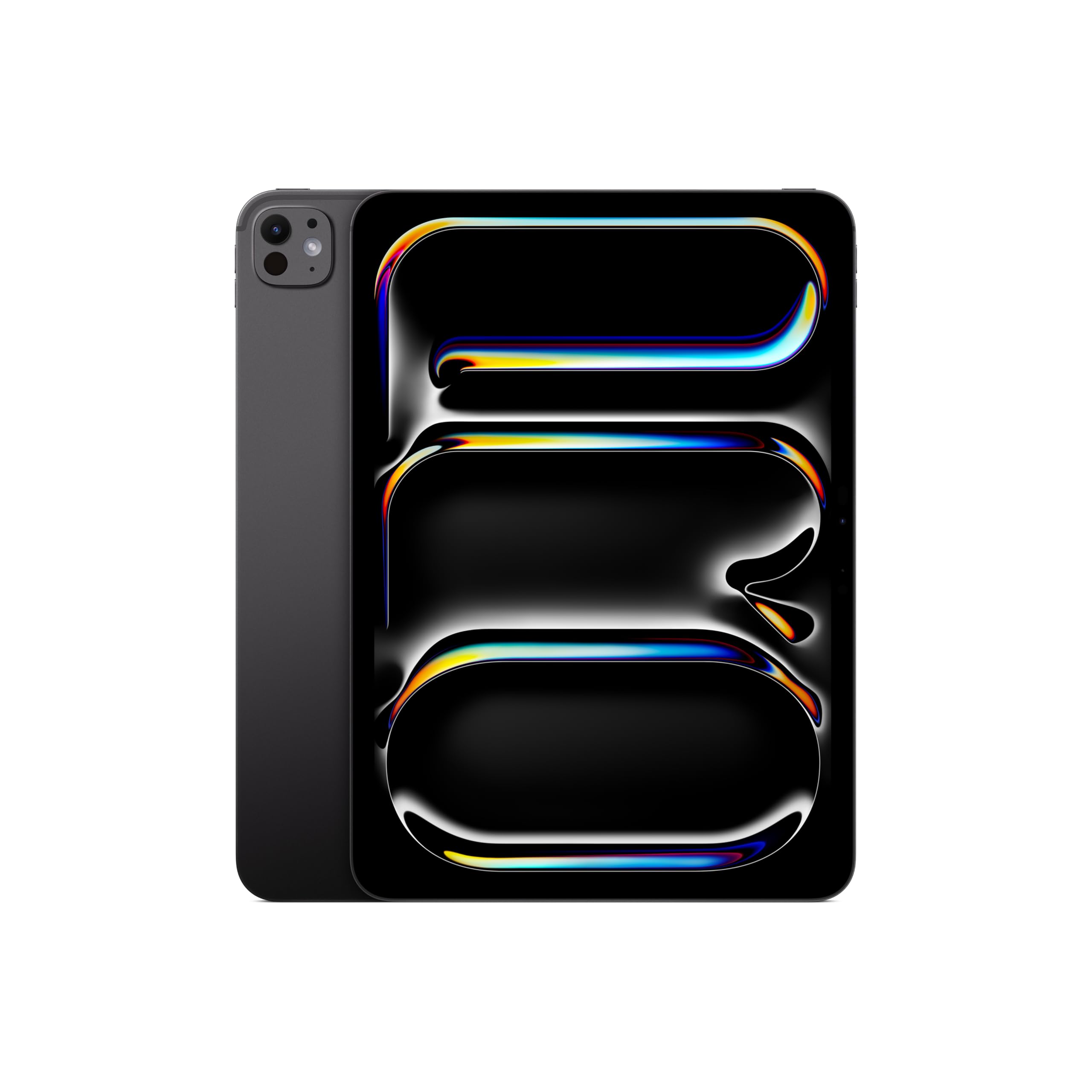
Product comparison
The two models
Product A
iPad Air 11-inch (M4)
Best fit: Regular notes and mainstream creative apps
Why choose it: Pencil Pro on a capable LCD iPad
Main trade-off: No Pro OLED or ProMotion display
Last checked price
$649.99
Paid link · PIQSY may earn a commission
Product B
iPad Pro 11-inch (M5)
Best fit: Visual work needing premium motion and blacks
Why choose it: Tandem OLED and ProMotion display
Main trade-off: Costlier upgrade for ordinary tablet work
Last checked price
$1,139.00
Paid link · PIQSY may earn a commission
Some shopping links may pay PIQSY a commission if you make a qualifying purchase. Editorial assessments remain independent. Affiliate disclosure
What matters when choosing
Quick answer: Choose the 11-inch iPad Air M4 for frequent notes, creative apps and an excellent iPad experience when LCD is enough. Consider the 11-inch iPad Pro M5 if you specifically value tandem OLED, ProMotion up to 120Hz, or a demanding supported creative workflow. This is a matched 256GB Wi-Fi, 12GB memory comparison. The Pro has real hardware advantages; whether you benefit is another question.
Exact US pair: 11-inch iPad Air M4, 12GB/256GB Wi-Fi versus 11-inch iPad Pro M5 standard glass, 12GB/256GB Wi-Fi with the nine-core CPU. Neither includes an Apple Pencil or Magic Keyboard.
What you'll actually notice
Both feel like modern, capable 11-inch iPads. They run iPadOS, support Apple Pencil Pro and work with compatible iPad apps. That means everyday document editing, drawing, reading and entertainment are not exclusive to the expensive model.
The biggest immediately visible difference is the screen. The Air uses a fully laminated Liquid Retina LCD. The Pro uses tandem OLED with ProMotion, allowing adaptive refresh up to 120Hz. If you work with high-contrast imagery or value very smooth-looking motion, the Pro may justify its premium. If you mostly type notes and read textbooks, it may not.
The Pro is also thinner and has its own connectivity and hardware differences. Those can matter for specialized workflows, but not everyone needs them. A benefit you can't name in your regular day is a poor reason to increase the budget.
What changes the choice
Your display requirement should lead the decision
Start with a simple test: what do you look at for hours? If the answer is lecture notes, web pages and ordinary PDFs, the Air's screen may be entirely satisfactory.
If you edit high-contrast visuals, review HDR media or specifically want OLED blacks and ProMotion, the Pro's panel is a genuine differentiator. Don't call it a measured overall winner unless you have controlled display testing; the manufacturer specifications establish the technology difference, not the superiority of every experience.
Both are compact canvases. If you constantly run out of physical room, even the 13-inch Air might be a more effective upgrade than the 11-inch Pro.
Pencil compatibility does not explain the price gap
Both compared tablets support Apple Pencil Pro and Apple Pencil (USB-C). The Pro is not the only way to get advanced compatible handwriting tools.
For a student who highlights documents and takes notes, the Air is therefore a strong first choice. The Pro earns consideration when its display or specific app capabilities add something meaningful on top.
Check the precise Pencil generation and application functions before buying. A pen is not automatically supplied because it appears in a marketing image.
The exact chip tiers matter
The iPad Air M4 in this pair has 12GB unified memory and 256GB storage. The selected iPad Pro M5 also has 12GB—and Apple specifies its nine-core CPU for the 256GB and 512GB Pro models.
The 1TB and 2TB Pro models have different CPU and memory specifications. An impressive result from the higher tier shouldn't be described as a measurement of this 256GB purchase.
If you use an unusually demanding app, check actual compatibility and workload needs. We do not have controlled results establishing a universal time or battery advantage for the exact pair in this article.
Standard glass is not the nano-texture variant
The 256GB Pro compared here is standard glass. Apple's optional nano-texture finish belongs to eligible higher-capacity configurations. If glare management is your primary reason to buy the Pro, verify the finish and capacity rather than assuming every Pro has it.
The Air also has an antireflective coating. That does not make all lighting situations equal, but it means glare is not an automatic reason to skip the Air.
Storage and network choices are aligned
Both sides have 256GB Wi-Fi, so neither gets a recommendation merely because one was compared at a smaller capacity. That matters for downloaded media and creative files.
If you need a cellular modem, the two Wi-Fi devices in this specific comparison don't qualify. Compare their separate cellular versions and service terms.
Similarly, a keyboard or case may change your final total. Use the accessories appropriate to each exact generation and model, not a mismatched bundle.
The practical choice
Start with the Air for writing, reading and most iPad apps. Pay more for the Pro only when its OLED/ProMotion screen or a supported demanding workflow will make a difference you actually notice. If you can't name that benefit, the Air is probably enough.
When to choose iPad Air M4
Choose the Air for regular notes, illustrations that don't require the Pro display, portability and everyday use. Spend any savings on enough storage or the correct Pencil if those are more important to your routine.
When to choose iPad Pro M5
Choose the Pro for its OLED contrast, adaptive ProMotion, premium display workflows and any verified Pro-only hardware requirement. Make sure that requirement really exists in your applications.
Choose neither when
Choose a Windows or Mac computer if your crucial programs require desktop software or drivers. Choose a 13-inch tablet if more canvas area matters than better display technology. Choose another configuration if 256GB or Wi-Fi is insufficient.
PIQSY conclusion
The Pro is not an automatic upgrade for every Air shopper. The same 12GB/256GB Wi-Fi baseline makes the real difference easier to see: the Pro has a more advanced display, while the Air retains many of the same core iPad and Pencil advantages.
Before buying: Compare the screen in real use, confirm 256GB chip tier, exact Pencil/keyboard compatibility and the current complete US basket.
Evidence notes — private only
- US Apple iPad Air M4 specification: https://www.apple.com/ipad-air/specs/
- US Apple M5 iPad Pro tier, screen and glass: https://www.apple.com/ipad-pro/specs/
- No controlled battery, render-speed or owner-review winner.
Final comparison
Which fits your priorities?
Product A
iPad Air 11-inch (M4)
Choose when: Students who handwrite notes regularly; illustrators who need Apple Pencil Pro compatibility; people who want a capable iPad without the larger Pro format.
Main advantage: A useful balance of M4 processing headroom, Pencil Pro support and a compact canvas.
Trade-off: Premium input accessories cost extra, while the display is still an LCD rather than a Pro OLED.
Read Verdict →Product B
iPad Pro 11-inch (M5)
Choose when: Visual creators who prioritize the display; experienced iPad artists who value Pencil Pro; mobile professionals whose primary apps truly work on iPadOS.
Main advantage: Tandem OLED with up to 120Hz ProMotion in a compact, lightweight form.
Trade-off: The premium price buys capabilities that many everyday iPad users will barely use, and accessories cost extra.
Read Verdict →Product details
Model details
See available model specifications
| Detail | iPad Air 11-inch (M4) | iPad Pro 11-inch (M5) |
|---|---|---|
| US model | 11-inch iPad Air M4 | iPad Pro 11-inch M5 standard glass |
| Product Dimensions | 9.75 x 7.03 x 0.24 inches | 6.99 x 9.83 x 0.21 inches |
| Item Weight | 1.02 pounds | 15.7 ounces |
| Manufacturer | Apple | Apple |
| Item model number | MH304LL/A | MDWK4LL/A |
| Batteries | 1 D batteries required. (included) | 1 Lithium Ion batteries required. (included) |
| Date First Available | March 4, 2026 | October 14, 2025 |
| Brand | Apple | Apple |
| Model Name | iPad Air | iPad Pro |
| Memory Storage Capacity | 128 GB | 256 GB |
| Screen Size | 11 inches | 11 inches |
| Display Resolution Maximum | 2360-by-1640-pixel resolution at 264 ppi | 2420-by-1668-pixel resolution at 264 ppi |
| Audio Calling<> | FaceTime audioRelay cellular calls from your nearby iPhone with the Phone app | Not recorded |
| Speakers | Landscape stereo speakers | Four speaker audio |
| Microphones | Dual microphones for calls, video recording, and audio recording | Not recorded |
| Wireless | Apple N1 wireless networking chipWi-Fi 7 (802.11be) with 2x2 MIMOSimultaneous dual bandBluetooth 6Thread networking technology | Not recorded |
| Sensors | Touch IDThree‐axis gyroAccelerometerBarometerAmbient light sensor | Face IDLiDAR ScannerThree-axis gyroAccelerometerBarometerAmbient light sensors |
| Touch ID | Unlock iPadSecure personal data within appsMake purchases from the iTunes Store, App Store, and Apple Books | Not recorded |
| Charging and Expansion | USB-C port with support for:ChargingDisplayPortUSB 3 (up to 10Gb/s) | Thunderbolt / USB 4 port with support for:ChargingDisplayPortThunderbolt 3 (up to 40Gb/s)USB 4 (up to 40Gb/s)USB 3 (up to 10Gb/s) |
| Audio Calling | Not recorded | FaceTime audioRelay cellular calls from your nearby iPhone with the Phone app |
| Microphones | Not recorded | Studio-quality four-mic array for calls, video recording, and audio recording |
| Cellular and Wireless | Not recorded | All modelsApple N1 wireless networking chipWi‑Fi 7 (802.11be) with 2x2 MIMO6Simultaneous dual bandBluetooth 6Thread networking technologyWi-Fi + Cellular modelsApple C1X cellular modem5G (sub‑6 GHz) with 4x4 MIMOGigabit LTE with 4x4 MIMO |
| Location | Not recorded | All modelsDigital compassWi-FiiBeacon microlocationWi-Fi + Cellular modelsGPS/GNSSCellular |
| Face ID | Not recorded | Enabled by TrueDepth camera for facial recognitionUnlock iPadSecure personal data within appsMake purchases from the iTunes Store, App Store, and Apple Books |
| Apple Pay | Not recorded | Pay with your iPad using Face ID within apps and on the webSend and receive money in Messages |
Source: exact-US retained listing observations (latest checked 11/3/2026). Check current configuration with the manufacturer; these are not comparative performance tests.
Keep comparing
Related comparisons worth checking.
iPad A16 vs iPad Air M4: where does the upgrade actually help?
Buy the iPad A16 if you mainly stream, read, browse and do everyday school tasks. Consider the 11-inch iPad Air M4 if Apple Pencil Pro, frequent creative work or a specific demanding iPad app matters. Both US configurations compared here have 128GB storage and Wi-Fi. The Air's extra capabilities are real, but they are not a reason to spend more when your tasks never reach them.
iPad Air M4 11-inch vs 13-inch: how much screen is worth carrying?
The 11-inch iPad Air M4 is the easier choice when your tablet spends much of its life in your hands or bag. The 13-inch iPad Air M4 is more appealing when you write, draw or work beside a reference document at a desk. These are the two US 12GB-memory, 128GB-storage, Wi-Fi versions, so this is primarily a size-and-ergonomics decision—not a processor contest.
Our research approach
How to interpret the product details.
Our research approach
How to interpret the product details.