
PIQSY verdict
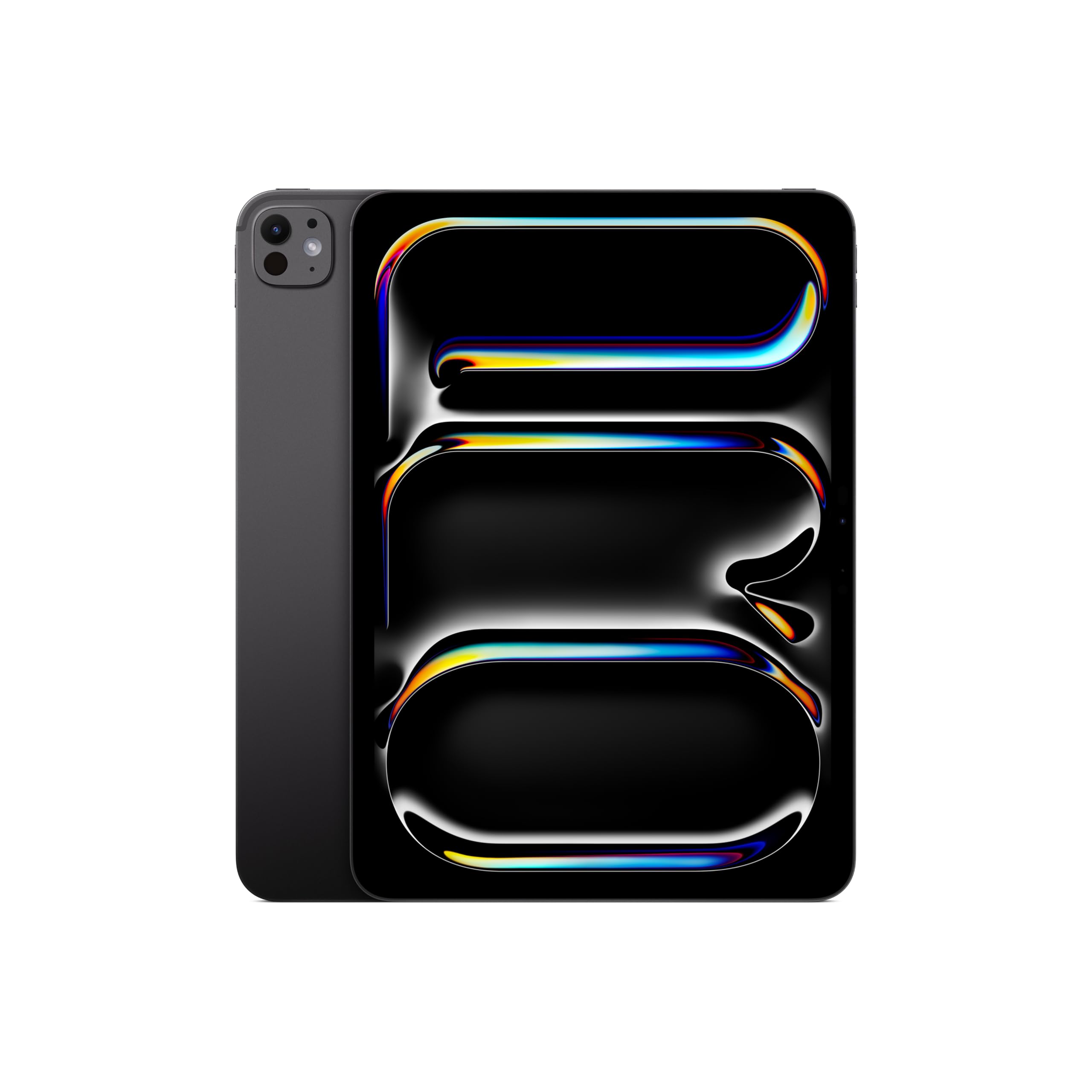
iPad Pro 11-inch (M5)
Visual creators who prioritize the display; experienced iPad artists who value Pencil Pro; mobile professionals whose primary apps truly work on iPadOS. The premium price buys capabilities that many everyday iPad users will barely use, and accessories cost extra.
US modeliPad Pro 11-inch M5 standard glass
Best fit
- Visual creators who prioritize the display
- experienced iPad artists who value Pencil Pro
- mobile professionals whose primary apps truly work on iPadOS.
Skip if
- You need desktop-only software, can live happily with the iPad Air's LCD or want the biggest drawing canvas.
- Premium OLED display
Biggest reason to buy
Tandem OLED with up to 120Hz ProMotion in a compact, lightweight form.
Main compromise
The premium price buys capabilities that many everyday iPad users will barely use, and accessories cost extra.
Last checked price
$1,139.00
Amazon rating
★ 4.7 · 721 ratings
Amazon.com snapshot · Nov 3, 2026
Paid link · PIQSY may earn a commission
Some shopping links may pay PIQSY a commission if you make a qualifying purchase. Editorial assessments remain independent. Affiliate disclosure
What matters
Why it earns consideration — and why you might skip it.
Decision snapshot
Choose it for
Visual creators who prioritize the display; experienced iPad artists who value Pencil Pro; mobile professionals whose primary apps truly work on iPadOS.
Know before buying
You need desktop-only software, can live happily with the iPad Air's LCD or want the biggest drawing canvas.
Quick answer: The 11-inch iPad Pro M5 makes sense when you specifically want a very high-quality OLED and ProMotion display in a portable iPad and use demanding creative applications that can benefit from its hardware. It is harder to justify if you mainly read email, stream video and take occasional notes. This review covers the 256GB Wi-Fi M5 with standard glass, which Apple specifies with a nine-core CPU and 12GB unified memory.
Best fit: Visual creators who prioritize the display; experienced iPad artists who value Pencil Pro; mobile professionals whose primary apps truly work on iPadOS.
Skip it if: You need desktop-only software, can live happily with the iPad Air's LCD or want the biggest drawing canvas.
Biggest reason to buy: Tandem OLED with up to 120Hz ProMotion in a compact, lightweight form.
Main compromise: The premium price buys capabilities that many everyday iPad users will barely use, and accessories cost extra.
Who it fits
There's a buyer who opens an iPad to check the news and another who stares at its display for hours while editing, illustrating, reviewing photographs or drawing. The iPad Pro makes a much stronger case to the second person.
The 11-inch form helps if you work on planes, carry your tablet between clients or use it away from a desk. Apple lists the Wi-Fi model at approximately 0.98 pound. That's unusually light for a device with this class of display, but a keyboard case and other accessories will change the overall weight.
It is important not to confuse this purchase with the expensive 1TB/2TB M5 options. Apple publishes a different chip and memory tier for those higher-storage versions. The 256GB model has 12GB of memory and a nine-core CPU, not the 16GB and ten-core CPU found in the 1TB/2TB configurations.
This is still iPadOS. You can have strong hardware and run into a hard wall if a desktop-only application or driver is indispensable. That is an app support issue, not a lack of processing power.
What changes the decision
Tandem OLED and ProMotion are the features to evaluate first
Apple's 11-inch Ultra Retina XDR tandem OLED display provides deep black levels and high contrast. ProMotion supports adaptive refresh up to 120Hz, which can make supported scrolling and pen interaction look smoother than a conventional 60Hz screen.
For a creator who checks contrast, works with high-quality media or simply spends hours drawing, these are concrete improvements to consider. They are not proof that every website or movie will look dramatically different. Source material, room lighting and personal preference matter.
The 11-inch Pro is also a trade-off. You get those panel benefits in a portable size, but a smaller canvas than the 13-inch Pro or 13-inch Air. If your primary workflow is splitting a long document beside an illustration app, screen space may matter more than the underlying panel technology.
Your 256GB chip tier is not the high-storage chip tier
Apple's official M5 specifications split hardware tiers: 256GB and 512GB models carry a nine-core CPU and 12GB of unified memory; 1TB and 2TB models have a ten-core CPU and 16GB. That distinction is relevant when reading performance reviews, especially ones that test the most expensive option.
Don't adopt a 1TB model's benchmark as a direct result for this 256GB tablet. The chip family is shared, but the configuration isn't identical. Likewise, don't assume a program runs flawlessly at any scale simply because the chip name starts with M5.
The more practical performance test is your chosen application and project size. Is it an iPad app? Do the features you need exist in the iPad version? Are export formats and peripherals supported? Work through those questions before chasing a higher benchmark score.
Apple Pencil Pro is supported, not included
The 11-inch Pro supports Apple Pencil Pro and Apple Pencil (USB-C). For an artist or frequent handwritten note-taker, the more advanced Pencil experience can matter, provided their apps actually use those features.
The standard box includes the tablet, charging cable and a power adapter—not a Pencil or keyboard. If pen input is central to the plan, add the compatible pen to your budget. If you want long writing sessions, evaluate the correct Magic Keyboard for this generation.
A good keyboard-and-pen combination can make the device more useful. It cannot turn the operating system into macOS or Windows. Someone who requires desktop Excel add-ins, proprietary drivers or specialist programming tools should check those exact requirements.
The standard-glass choice matters
The model covered here has standard glass. Apple lists the optional nano-texture display glass only on particular higher-storage Pro models. You should not take a reviewer's comments about a nano-texture 1TB tablet and assume that finish is present here.
For frequent use in reflective environments, that difference could influence the purchase. We recommend comparing the actual product finishes and their storage costs instead of treating the display options as identical.
The same principle applies to colors, connectivity and bundled accessories. The 256GB Wi-Fi Pro is not an unspecified premium iPad. Exact options change what you receive.
The iPad Air may already do your work
The 11-inch iPad Air M4 supports Apple Pencil Pro and has a laminated LCD screen. For notes, most drawing workflows, reading and app use, it may be more than capable enough. That makes the Pro upgrade a question about actual display expectations and workloads—not about having the newer badge.
If you can't name the way in which tandem OLED, ProMotion or a specific M5 capability improves your daily tasks, the Air deserves serious consideration. A savings that lets you buy the compatible pen or needed storage could have more day-to-day value.
Meanwhile, the 13-inch Air offers much more canvas area for documents without requiring a Pro-level panel. A larger lower-tier tablet can be the better tool when workspace, not image quality, is the bottleneck.
Keep storage and battery arguments separate
The 256GB baseline can hold meaningful app and media libraries, but large creative exports and offline video require planning. Check current storage use and how quickly your projects grow. A higher capacity may be worth it; it's not a free upgrade within this reviewed product.
Apple publishes manufacturer battery figures. We have not independently tested this exact 256GB US unit against an iPad Air or a higher-capacity Pro under controlled conditions. Screen brightness, apps and accessories affect actual endurance, so don't buy it on an invented battery victory.
Owner views
Owner feedback still developing
Owner feedback is still developing, so PIQSY is not presenting a consensus yet.
Who should choose something else
Choose the 11-inch Air M4 for notes and ordinary creative work when an LCD display is sufficient. Both support Pencil Pro, so make sure the display and workload differences are meaningful to you.
Choose the 13-inch Pro M5 when the size of the workspace matters more than carrying comfort, especially for complex visual work. Check its additional weight and your usual desk or travel setup.
Choose a Windows or Mac computer if your must-have applications require a desktop operating system. A larger storage tier or more powerful M5 configuration cannot fix a missing app.
PIQSY conclusion
The 11-inch iPad Pro M5 is a specialist's premium tablet, not the mandatory next step for every iPad shopper. Its OLED/ProMotion display, compact weight and Apple Pencil compatibility can absolutely improve a day spent drawing or reviewing visuals.
We'd choose the 256GB Wi-Fi standard-glass model for someone who understands the precise Pro benefits and doesn't need a larger canvas. We'd send most everyday buyers to the Air, where their money may stretch further.
Before buying: Check your exact software, the 256GB nine-core/12GB specification, standard-glass finish, accessory cost and whether you truly need a Pro display.
Source and evidence notes — not consumer copy
- Apple US iPad Pro M5 size, OLED/ProMotion, memory/CPU tier and standard glass: https://www.apple.com/ipad-pro/specs/
- Apple model-specific support: https://support.apple.com/en-us/125406
- Avoid high-storage ten-core/16GB benchmark transfer; owner review provenance absent.
Technical detail
Specifications
See full specifications
| Product | iPad Pro 11-inch (M5) |
|---|---|
| US model | iPad Pro 11-inch M5 standard glass |
| Product Dimensions | 6.99 x 9.83 x 0.21 inches |
| Item Weight | 15.7 ounces |
| Manufacturer | Apple |
| Item model number | MDWK4LL/A |
| Batteries | 1 Lithium Ion batteries required. (included) |
| Date First Available | October 14, 2025 |
| Brand | Apple |
| Model Name | iPad Pro |
| Memory Storage Capacity | 256 GB |
| Screen Size | 11 inches |
| Display Resolution Maximum | 2420-by-1668-pixel resolution at 264 ppi |
| Audio Calling | FaceTime audioRelay cellular calls from your nearby iPhone with the Phone app |
| Speakers | Four speaker audio |
| Microphones | Studio-quality four-mic array for calls, video recording, and audio recording |
| Cellular and Wireless | All modelsApple N1 wireless networking chipWi‑Fi 7 (802.11be) with 2x2 MIMO6Simultaneous dual bandBluetooth 6Thread networking technologyWi-Fi + Cellular modelsApple C1X cellular modem5G (sub‑6 GHz) with 4x4 MIMOGigabit LTE with 4x4 MIMO |
| Location | All modelsDigital compassWi-FiiBeacon microlocationWi-Fi + Cellular modelsGPS/GNSSCellular |
| Sensors | Face IDLiDAR ScannerThree-axis gyroAccelerometerBarometerAmbient light sensors |
| Face ID | Enabled by TrueDepth camera for facial recognitionUnlock iPadSecure personal data within appsMake purchases from the iTunes Store, App Store, and Apple Books |
| Apple Pay | Pay with your iPad using Face ID within apps and on the webSend and receive money in Messages |
| Charging and Expansion | Thunderbolt / USB 4 port with support for:ChargingDisplayPortThunderbolt 3 (up to 40Gb/s)USB 4 (up to 40Gb/s)USB 3 (up to 10Gb/s) |
Amazon.com technical listing observed Nov 3, 2026. Confirm exact configuration with the manufacturer.
Final decision
Ready to choose, or want one more check?
Buying options
Check the current offer.
Amazon.com · Checked Nov 3, 2026
Paid link · PIQSY may earn a commission
Our research approach
How to interpret the product details.
Our research approach
How to interpret the product details.