
PIQSY verdict
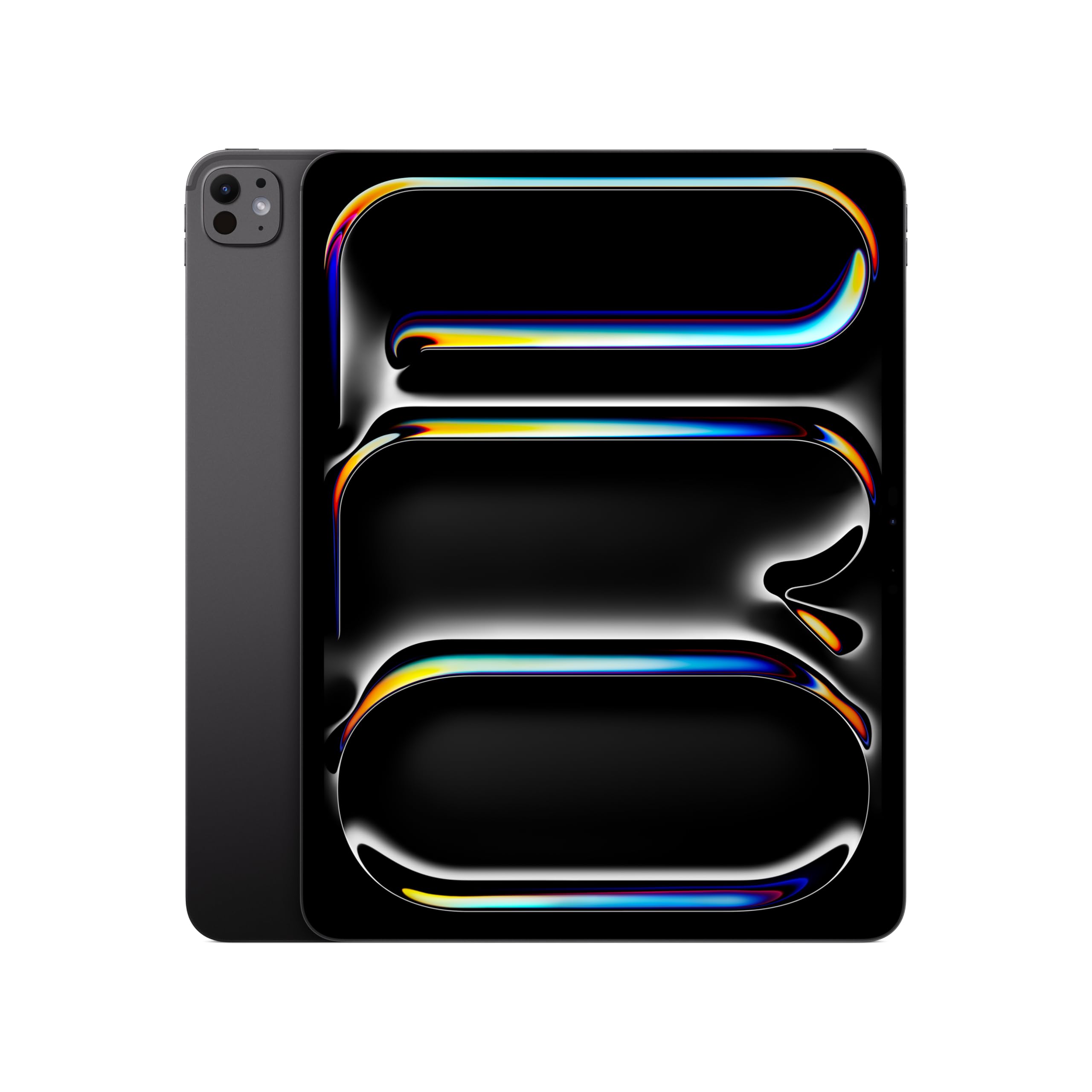
iPad Pro 13-inch (M5)
The 13-inch iPad Pro M5 is for people who want a large, premium OLED drawing and media canvas and can justify the cost through actual work. An expensive, desk-oriented package whose Pencil and keyboard add further to the total.
US modeliPad Pro 13-inch M5 standard glass
Best fit
- Illustrators who need room for tools and artwork
- visual professionals who care about display quality
- desk-based iPad users with demanding supported applications.
Skip if
- You mostly hold a tablet while reading
- need a compact commute device
- your essential work runs only on desktop software.
Biggest reason to buy
A large tandem OLED panel with ProMotion paired with serious iPadOS hardware.
Main compromise
An expensive, desk-oriented package whose Pencil and keyboard add further to the total.
Last checked price
$1,424.00
Amazon rating
★ 4.7 · 848 ratings
Amazon.com snapshot · Nov 3, 2026
Paid link · PIQSY may earn a commission
Some shopping links may pay PIQSY a commission if you make a qualifying purchase. Editorial assessments remain independent. Affiliate disclosure
What matters
Why it earns consideration — and why you might skip it.
Decision snapshot
Choose it for
Illustrators who need room for tools and artwork; visual professionals who care about display quality; desk-based iPad users with demanding supported applications.
Know before buying
You mostly hold a tablet while reading, need a compact commute device, or your essential work runs only on desktop software.
Quick answer: The 13-inch iPad Pro M5 is for people who want a large, premium OLED drawing and media canvas and can justify the cost through actual work. It isn't the best default iPad for browsing, note-taking or streaming. We're looking at Apple's 256GB Wi-Fi, standard-glass 13-inch model, which has 12GB unified memory and the nine-core M5 CPU. Higher-storage versions have materially different CPU and memory configurations.
Best fit: Illustrators who need room for tools and artwork; visual professionals who care about display quality; desk-based iPad users with demanding supported applications.
Skip it if: You mostly hold a tablet while reading, need a compact commute device, or your essential work runs only on desktop software.
Biggest reason to buy: A large tandem OLED panel with ProMotion paired with serious iPadOS hardware.
Main compromise: An expensive, desk-oriented package whose Pencil and keyboard add further to the total.
Who it fits
Imagine working on a detailed illustration with layers, reference images and tool panels crowding a smaller tablet. A 13-inch Pro can make that kind of experience easier. Or perhaps you review visual media and regularly notice differences in black levels, motion and screen contrast. Those are much stronger reasons to consider this model than the simple desire for the newest expensive iPad.
This is still a 13-inch tablet, not a MacBook. The display is generous for a tablet, but your work remains inside the apps and file capabilities of iPadOS. If your job requires a desktop plugin, an unsupported peripheral or a Windows application, the extra screen and M5 processor won't make that requirement disappear.
Apple lists the Wi-Fi 13-inch Pro at about 1.28 pounds and 0.20 inch thick. It's a remarkably thin tablet, but the physical surface is still large. A case and keyboard may make it feel more like a portable desktop companion than a one-handed reading device.
For a buyer who mainly wants a nice screen for streaming and occasional notes, consider how often they actually sit down to use it. An 11-inch Air may be easier to grab, carry and live with.
What changes the decision
The larger OLED canvas is the heart of the purchase
The 13-inch model uses Apple's Ultra Retina XDR tandem OLED display with ProMotion adaptive refresh up to 120Hz. For high-quality media, contrast-sensitive visual work and responsive pen movement, those specifications are meaningful reasons to compare it against an LCD Air.
It also offers more physical space for reference panes, annotations and a creative application's interface than the 11-inch Pro. That's a distinct advantage for someone drawing for hours at a desk or inspecting a large layout. But it can be a disadvantage in crowded airplane seats or when you're trying to read while standing.
Separate "I want the most impressive display" from "I need this bigger canvas." The first may point toward either Pro size; the second can also be addressed by the 13-inch Air M4, which lacks the Pro's OLED and ProMotion panel but costs differently and shares iPadOS app compatibility.
Choose your exact M5 hardware tier
Apple specifies nine CPU cores and 12GB of memory on the 256GB and 512GB M5 Pro models. The 1TB and 2TB models have ten CPU cores and 16GB of memory. That is not a trivial footnote when a benchmark or comparison chart comes from a top-spec unit.
We don't use a 1TB review's sustained performance or memory capacity to describe your 256GB purchase. More importantly, even the proper 256GB specification should be a supporting fact, not the whole buying argument.
Ask whether the iPad version of your creative software supports your required workflow: large files, layers, file exports, connected storage and any plugin needs. More chip power helps only when the application can use it.
Pencil Pro is a reason to buy—when you will use it
The iPad Pro supports Apple Pencil Pro and Apple Pencil (USB-C). For serious handwriting and illustration, a compatible pen can make the large canvas valuable. Apple's laminated screen and high refresh capabilities can support a responsive visual experience in compatible apps.
However, the standard package doesn't include a Pencil. The large screen can also tempt buyers into adding a Magic Keyboard. At that point, compare the full cost with a laptop or a smaller iPad equipped with the accessories you actually need.
If you're making rough notes once a week, pen compatibility is not enough to justify the Pro premium. The 13-inch Air M4 also supports Pencil Pro. The difference is whether your tasks genuinely benefit from the Pro display and hardware.
Standard glass is not Apple's nano-texture option
The selected 256GB Wi-Fi model has standard glass. Apple reserves the optional nano-texture glass choice for eligible 1TB and 2TB configurations. If a creator's review praises the nano-texture finish in difficult lighting, you cannot assume this 256GB product has it.
That matters for people working in bright offices or filming environments. Compare the real finish, its higher capacity requirements and the total US price; don't rely on marketing photos or a model name alone.
And don't interpret a manufacturer brightness number as a measured guarantee in your particular workspace. Screen performance depends on content and ambient conditions.
More space can be more useful than a faster device
Here's an interesting comparison: the 13-inch iPad Air M4 and the 13-inch Pro M5 have similar broad screen-size roles, but significantly different panel types. If your bottleneck is handwriting room, document layout or a larger reference image, the Air may already solve it.
If your bottleneck is a particular OLED visual requirement or an application that can benefit from the Pro's higher-end components, the M5 deserves consideration. That is the point at which the premium becomes a tool purchase, rather than a reward for reading spec sheets.
The 11-inch Pro is another strong alternative when you want the Pro panel but travel often. Screen quality and screen size are two independent decisions; you don't have to maximize both.
Storage and accessories can change the value
The 256GB configuration provides a useful starting point but is not endless room for local creative files, exported video and large applications. Check the storage you currently use and your actual editing workflow. If you regularly handle files measured in tens of gigabytes, capacity may be more important than an extra display feature.
Add the exact compatible Pencil, keyboard, case and any extra storage requirements before making a value judgment. Merchant bundles, prices and inventory change; this draft does not claim a currently available deal or guaranteed delivery date.
Finally, remember that Wi-Fi is not cellular. If your creative workflow happens away from reliable internet, evaluate offline storage and the price of the separate cellular model rather than assuming every 13-inch Pro has an independent data connection.
Owner views
Owner feedback still developing
Owner feedback is still developing, so PIQSY is not presenting a consensus yet.
Who should choose something else
Choose the 13-inch iPad Air M4 when your main requirement is a large writing and app canvas and the LCD is enough. Its Pencil Pro support means you may keep much of your intended handwriting workflow without paying for the OLED panel.
Choose the 11-inch iPad Pro M5 if the premium display is essential but portability is equally important. A smaller Pro can be easier to carry without surrendering the core OLED/ProMotion benefits.
Choose a Mac or Windows laptop when your required creative tools, desktop plug-ins or connected hardware are not supported on iPadOS. Bigger iPad hardware won't transform the software platform.
PIQSY conclusion
The 13-inch iPad Pro M5 is a particularly good match for people who can describe exactly how they'd use a large, premium display: detailed illustration, visual review, complex annotations or supported creative apps. For everyone else, its expense and physical size can be hard to justify over an Air.
We'd recommend the 256GB Wi-Fi standard-glass model only after verifying that the storage, apps and accessories fit. We wouldn't pretend it contains the 1TB model's ten-core processor or nano-texture finish, and we wouldn't declare it the best tablet purely because it's the priciest.
Before buying: Confirm exact M5 CPU/memory tier, storage and glass finish, compatible Pencil/keyboard, app requirements and full US basket cost.
Source and evidence notes — not consumer copy
- Apple US iPad Pro M5 official 13-inch OLED/ProMotion, thickness/weight, exact CPU tier, storage and glass: https://www.apple.com/ipad-pro/specs/
- No independently measured battery or gaming superiority or qualified US owner review consensus.
Technical detail
Specifications
See full specifications
| Product | iPad Pro 13-inch (M5) |
|---|---|
| US model | iPad Pro 13-inch M5 standard glass |
| Product Dimensions | 8.48 x 11.09 x 0.2 inches |
| Item Weight | 1.28 pounds |
| Manufacturer | Apple |
| Item model number | MDYJ4LL/A |
| Batteries | 1 A batteries required. (included) |
| Date First Available | October 14, 2025 |
| Brand | Apple |
| Model Name | iPad Pro |
| Memory Storage Capacity | 256 GB |
| Screen Size | 13 inches |
| Display Resolution Maximum | 2752-by-2064-pixel resolution at 264 ppi |
| Audio Calling | FaceTime audioRelay cellular calls from your nearby iPhone with the Phone app |
| Speakers | Four speaker audio |
| Microphones | Studio-quality four-mic array for calls, video recording, and audio recording |
| Cellular and Wireless | All modelsApple N1 wireless networking chipWi‑Fi 7 (802.11be) with 2x2 MIMO6Simultaneous dual bandBluetooth 6Thread networking technologyWi-Fi + Cellular modelsApple C1X cellular modem5G (sub‑6 GHz) with 4x4 MIMOGigabit LTE with 4x4 MIMO |
| Location | All modelsDigital compassWi-FiiBeacon microlocationWi-Fi + Cellular modelsGPS/GNSSCellular |
| Sensors | Face IDLiDAR ScannerThree-axis gyroAccelerometerBarometerAmbient light sensors |
| Face ID | Enabled by TrueDepth camera for facial recognitionUnlock iPadSecure personal data within appsMake purchases from the iTunes Store, App Store, and Apple Books |
| Apple Pay | Pay with your iPad using Face ID within apps and on the webSend and receive money in Messages |
| Charging and Expansion | Thunderbolt / USB 4 port with support for:ChargingDisplayPortThunderbolt 3 (up to 40Gb/s)USB 4 (up to 40Gb/s)USB 3 (up to 10Gb/s) |
Amazon.com technical listing observed Nov 3, 2026. Confirm exact configuration with the manufacturer.
Final decision
Ready to choose, or want one more check?
Buying options
Check the current offer.
Amazon.com · Checked Nov 3, 2026
Paid link · PIQSY may earn a commission
Our research approach
How to interpret the product details.
Our research approach
How to interpret the product details.