
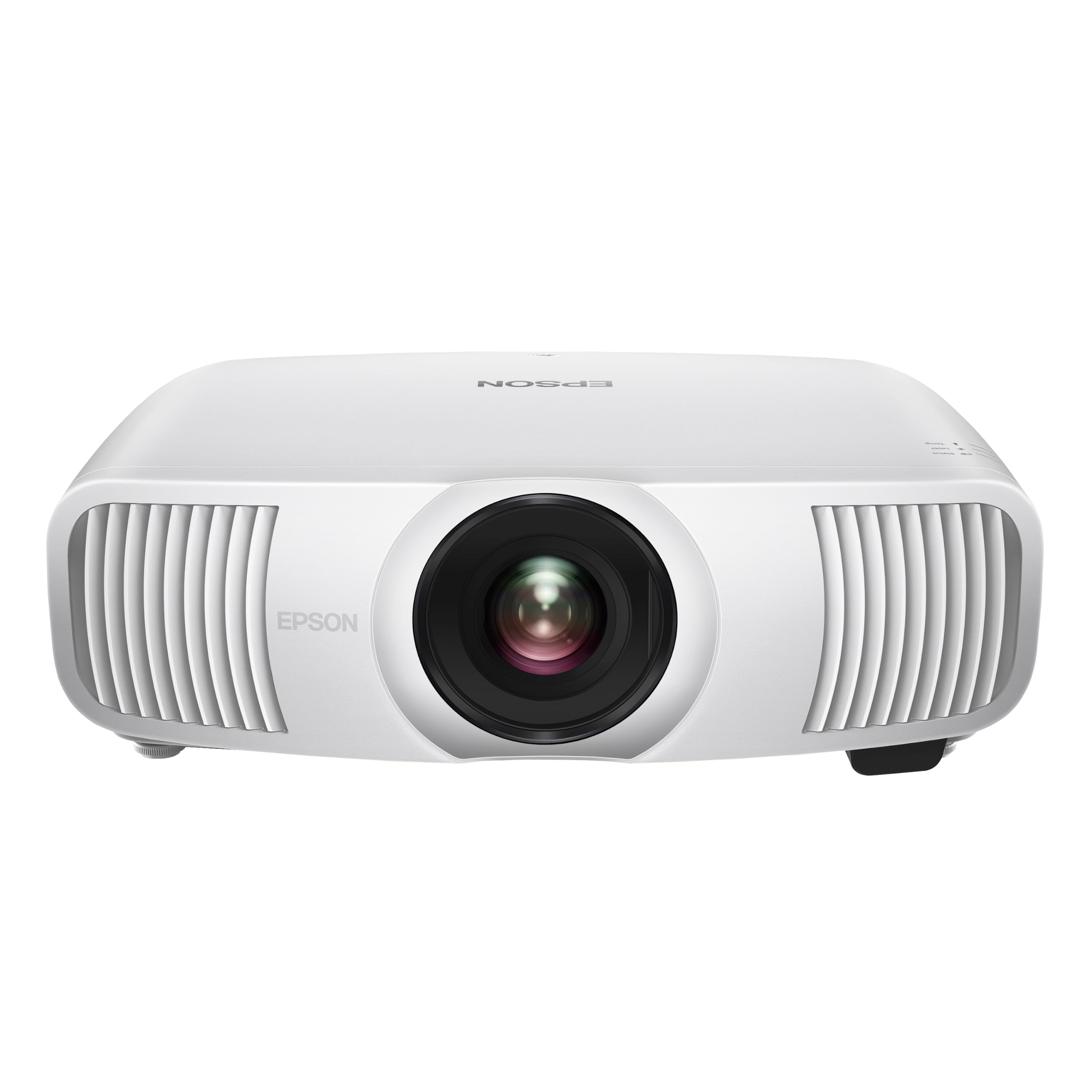
PIQSY verdict
Home Cinema LS11000
LS11000 belongs in a movie room with a permanent screen and a suitable source chain for 4K120 gaming. Powered lens adjustments and laser lighting are useful installation conveniences, but it isn't a casual bedroom projector.
US modelHome Cinema LS11000
Best fit
- Permanent mixed cinema rooms
- Supported 4K120 gaming setups
Skip if
- You need casual cordless projection
- You expect native 4K LCD panels
Biggest reason to buy
Motorized optics and laser light simplify a carefully planned permanent cinema setup.
Main compromise
This is a full installation; 4K output is not a claim of native 4K LCD panels.
Last checked price
$3,999.99
Amazon rating
★ 4.3 · 131 ratings
Amazon.com snapshot · Nov 3, 2026
Paid link · PIQSY may earn a commission
Some shopping links may pay PIQSY a commission if you make a qualifying purchase. Editorial assessments remain independent. Affiliate disclosure
What matters
Why it earns consideration — and why you might skip it.
Decision snapshot
Choose it for
Home-theater enthusiasts with a fixed screen who value laser ownership, precise installation and mixed movie/console use.
Know before buying
Choose the Home Cinema 5050UB if a lamp-based, contrast-focused dark-room system fits your priorities and you do not need the LS11000's laser and 4K120 support.
Quick verdict: The Epson Home Cinema LS11000 deserves a look if you're building a permanent movie room but also want to connect a 4K120 gaming source. Its powered lens controls make a planned screen easier to fit, while the laser source avoids routine replacement lamps. Don't mistake 4K on-screen output for native 4K LCD panels, or treat the manufacturer's sub-20ms gaming statement as an independent test of every gaming mode.
Best for: Home-theater enthusiasts with a fixed screen who value laser ownership, precise installation and mixed movie/console use.
Not ideal for: Small rooms with no suitable long-throw position, people who want an all-in-one portable streaming box, and buyers expecting daytime TV contrast under uncontrolled sunlight.
Who it fits
The LS11000 is a serious piece of equipment for a room where the screen stays put. It is not designed around quick ceiling projection from a bedside table. The value is in combining a laser-array light source, motorized lens shift and image-processing flexibility in a projector that you can build into a considered home entertainment system.
Epson identifies the selected US model as V11HA48020. Avoid confusing that part with Certified ReNew suffixes or a retailer-specific bundle; the published product specification does not automatically establish the exact contents or warranty of every third-party listing. This distinction is especially important for premium purchases, where a mount, spare accessories and installation work can be meaningful costs.
The best owner is also realistic about projection: even a premium model benefits from low room light. If your daily viewing is children's television in a sunny kitchen, its capabilities may be a poor match. If your use is evening films, sports and modern console gaming in a darkened room, the proposition becomes much stronger.
What changes the decision
Premium lens controls can matter more than the brightness number
The LS11000 earns its place in a permanent theater with its powered lens controls. Epson lists approximately ±96% vertical shift, ±47% horizontal shift, powered zoom and focus, and ten lens-memory presets. In plain language, you can adjust where the picture lands and recall settings without moving the projector across the room.
That can be especially useful when the screen is wide, the ceiling mount isn't perfectly centered or you switch between movie aspect ratios. It won't make every mounting position possible: the maximum vertical and horizontal shifts aren't necessarily available together. Measure the screen, lens distance and mounting height with Epson's own calculator.
If your setup is one simple screen on an occasional table, these controls may be more than you need. Their real value is saving hassle in a fixed, carefully planned movie room—not looking impressive in the features list.
4K120 compatibility is useful, but understand the imaging technology
Epson describes an 8.29-million-pixel on-screen picture using its 4K enhancement and pixel shifting. That can give fine projected detail, but it doesn't mean each LCD panel contains native 3840 by 2160 pixels.
The projector accepts 4K HDR at 60Hz and up to 120Hz over HDMI. That matters if you have a current console or PC that can deliver the signal, but 4K120 support doesn't mean every picture mode has the same HDR brightness, processing or response time.
Epson advertises gaming lag below 20ms. That's a manufacturer statement for its named conditions, not a PIQSY gaming test or a direct match for BenQ's 4K60 and 1080p240 figures. If milliseconds will decide a premium purchase, check independent reviews using the actual resolution, HDR and image mode you intend to play.
Laser changes maintenance, not the need for a realistic service plan
The LS11000 uses a 3LCD laser-array architecture. Moving away from a conventional lamp avoids the periodic replacement-lamp routine of the Home Cinema 5050UB or 3800. Laser-source life specifications still describe expected operation under defined conditions; they do not guarantee constant output or no possibility of repair.
This distinction is meaningful for someone who watches frequently. Running a projector through long TV sessions is different from using one only on weekends. You should weigh maintenance convenience alongside purchase cost, heat, cooling noise and any service conditions—not just the nominal hours of a light engine.
The official US page advertises a two-year limited warranty, but you must check whether your chosen seller, new-condition unit and exact invoice qualify. ReNew and open-box terms can differ. We haven't independently verified the included accessories or warranty terms for a current seller's specific offer.
Don't turn different brightness standards into a winner
Epson quotes 2,500 color lumens under IDMS and 2,500 white lumens under ISO. These use different measurement methods from a BenQ ANSI rating, so the numbers can't prove which projector looks brighter in a real movie room. A promoted dynamic contrast ratio isn't a substitute for tested dark-scene performance either.
For a large screen, the room matters enormously. Sunlight or bright reflections make blacks look gray; a bigger picture spreads the same light more thinly. Good shades and the right screen can affect your experience more than a small headline specification difference.
Epson supports HDR10+, but enjoying HDR depends on the source, settings and projection conditions. The best reason to choose this projector is the cinema setup you can create—not a promise of television-like highlights.
The home-theater signal chain needs a plan
Think of the LS11000 as one part of a system. You'll need a stable screen, an appropriate movie player or console, audio gear, and cables that can carry the signal you want. Epson lists two HDMI ports, with eARC on one.
If you intend to play at 4K120, check that the receiver and HDMI cable can pass that signal from your console or PC. An older receiver can become the limiting piece even when the projector itself supports the format.
Map the cables and screen geometry before arranging an installer. The simplest way to waste premium-projector features is to discover too late that the mounting point or signal path doesn't work.
Owner feedback
There isn't enough dependable US owner feedback for the exact LS11000 to identify common long-term problems. Manufacturer claims describe intended features; they don't replace years of owner experience. For a premium fixed installation, check service and warranty coverage as carefully as lens placement.
Owner views
Owner feedback still developing
Owner feedback is still developing, so PIQSY is not presenting a consensus yet.
Who should choose something else
Choose the Home Cinema 5050UB if a lamp-based, contrast-focused dark-room system fits your priorities and you do not need the LS11000's laser and 4K120 support. The 5050UB is a sensible movie-first comparison, but claims that it always wins or loses on actual black-level measurements require controlled, like-for-like evidence.
Choose the Home Cinema 3800 if your core problem is getting a big picture into a normal home-theater space with flexible optics and you are comfortable with a less premium lamp-based setup. Its 4K enhancement and brightness ratings should be assessed on their own terms.
Choose a BenQ TK710 if high-refresh 1080p gaming modes matter more than a motorized premium cinema system and standard throw fits your room. The TK710's fastest published lag number applies to 1080p240, not LS11000-comparable 4K120. If you do not want a permanent installation, start with a portable unit rather than forcing an LS11000 into that job.
Before you buy
Specify screen size and seating distance, confirm power and ventilation, check maximum lens geometry with the manufacturer calculator and verify a robust source-to-projector HDMI path. Decide whether 4K120 is an actual gaming requirement or just a reassuring feature on a spec sheet. The identity to confirm is Home Cinema LS11000 V11HA48020, with no presumed equivalence to ReNew suffixes or optional retailer extras.
PIQSY conclusion
The Epson LS11000 is a compelling premium cinema-and-gaming candidate when the buyer has a permanent screen, wants laser maintenance convenience and can use its motorized optics. Its modern 4K120 input capability is valuable when supported by the complete source chain. The key is to buy it for the installation and usage pattern it enables, not an imaginary native-panel claim or a gaming measurement lifted from a different picture mode.
Before purchasing: Exact USD offers, seller-specific conditions and accessory bundles require a separate retailer check. Check live retailer details before deciding.
Technical detail
Specifications
See full specifications
| Product | Home Cinema LS11000 |
|---|---|
| US model | Home Cinema LS11000 |
| Brand | Epson |
| Recommended Uses For Product | Business, Education, Gaming, Home Cinema, Outdoor Movie Night |
| Special Feature | Portable |
| Connectivity Technology | Ethernet, HDMI, USB |
| Display resolution | 3840 x 2160 |
| Additional Features | Portable |
| Native Resolution | 3840 x 2160 |
| Display Resolution Maximum | 3840 x 2160 |
| Display Type | 3LCD |
| Form Factor | Portable |
| Mounting Type | Ceiling Mount |
| Brightness | 2500 lm |
| Color | White |
| Wattage | 311 watts |
| Controller Type | Button Control, Remote Control |
| Compatible Devices | PC, Mac, DVD, Blu-Ray |
| Contrast Ratio | 1,200,000:1 |
| Maximum Throw Distance | 62 feet |
| Light Source Operating Life | 20000 hours |
| Maximum Image Size | 300 inches |
| Lamp Wattage | 311 watts |
| Hardware Connectivity | HDMI, USB, VGA |
| Control Method | Remote |
| Minimum Throw Distance | 5 feet |
| Vertical Keystone Correction | 62 feet |
| Minimum Image Size | 50 inches |
| Video Encoding | HEVC (High Efficiency Video Coding) or VP9 |
| Projector Maximum White Brightness | 2500 ansi_lumens |
| Picture Quality Enhancement Technology | Epson Picture Processor |
| Antenna Location | Business, Education, Gaming, Home Cinema, Outdoor Movie Night |
| Built-In Media | Projector, Power cable, Remote Control, 2AA batteries, Quick setup guide |
| Model Name | Home Cinema LS11000 |
| Model Number | V11HA48020 |
| UPC | 010343967526 |
| Number of Items | 1 |
| Manufacturer | Epson |
| Item Highlight | 3-Chip 3LCD, 2,500 Lumens of Color and White Brightness, 1.2 Mill:1 Dynamic Contrast, Motorized Lens Shift and Focus, 120Hz |
| Unit Count | 1 Count |
| Item Type Name | Projector |
| Mfr Part Number | V11HA48020 |
| Warranty Description | 2-year limited warranty |
| Item Dimensions L x W x H | 17.6"L x 20.5"W x 7.6"H |
| Item Weight | 28 pounds |
| Software Update Supported to Date | unknown |
| GTIN | 010343967526 |
Amazon.com technical listing observed Nov 3, 2026. Confirm exact configuration with the manufacturer.
Final decision
Ready to choose, or want one more check?
Buying options
Check the current offer.
Amazon.com · Checked Nov 3, 2026
Paid link · PIQSY may earn a commission
Our research approach
How to interpret the product details.
Our research approach
How to interpret the product details.