
PIQSY Compare
HORIZON 20 Max vs C3 Ultra
Premium Optics or More Flexible Aiming? Picture where your projector will live.
The choice that matters
Premium Optics or More Flexible Aiming?
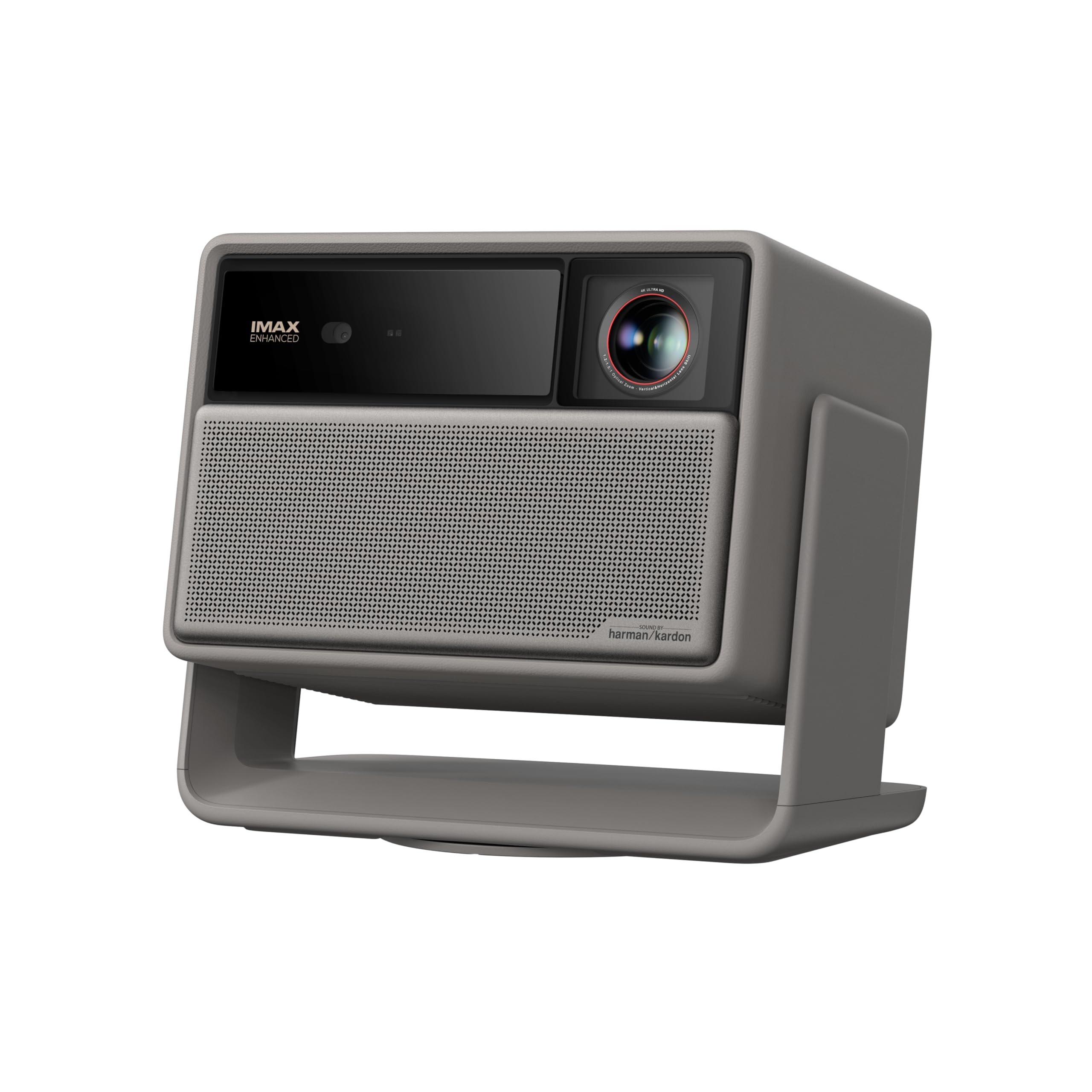
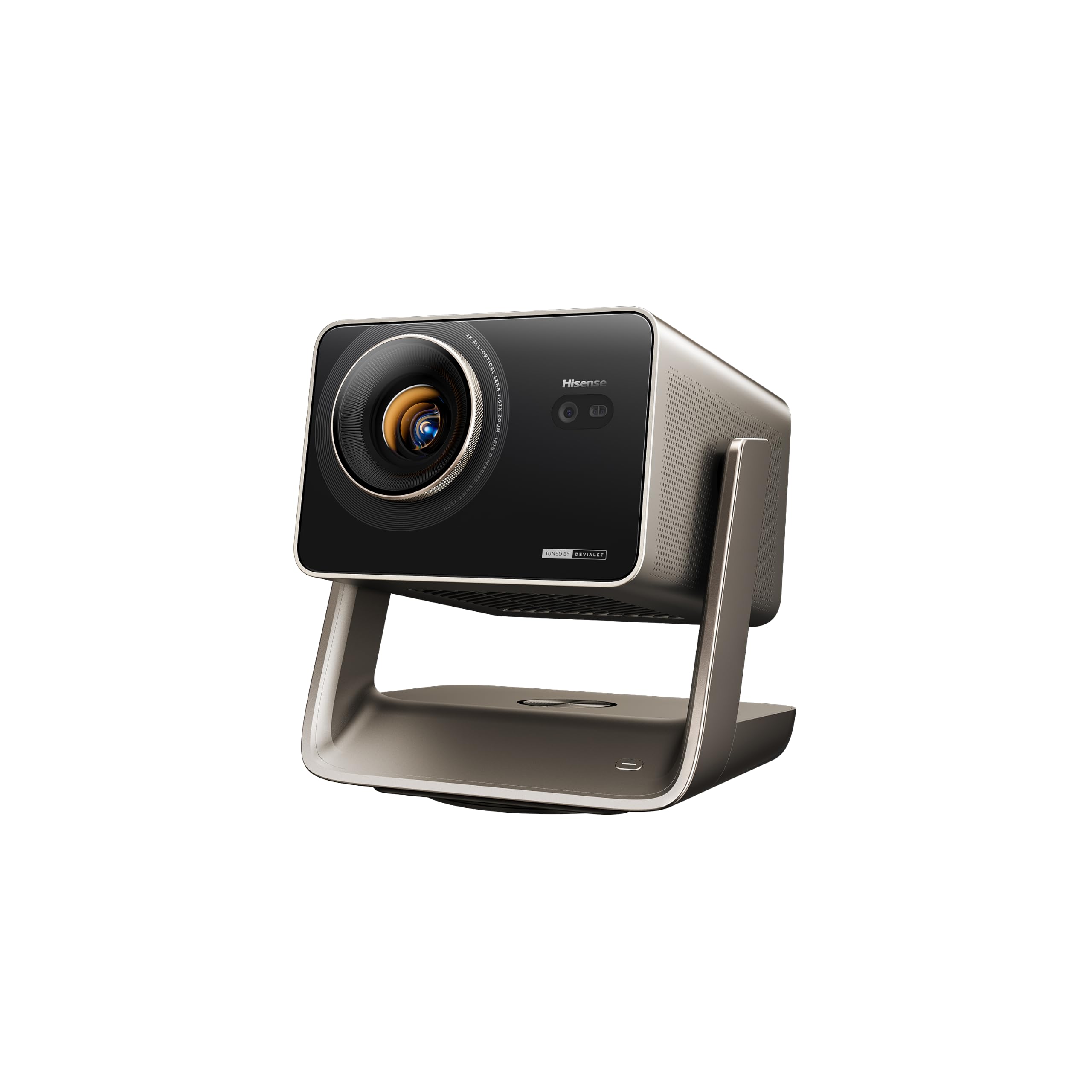
Product comparison
The two models
Product A
HORIZON 20 Max
Best fit: Mostly fixed premium screen installations
Why choose it: Optical lens shift and documented gaming settings
Main trade-off: Permanent screen planning matters more than pivoting
Last checked price
$2,599.00
Paid link · PIQSY may earn a commission
Product B
C3 Ultra
Best fit: Rooms needing frequent re-aiming
Why choose it: Swiveling stand and broader placement options
Main trade-off: Premium light rating is not an independent brightness win
Last checked price
$2,497.97
Paid link · PIQSY may earn a commission
Some shopping links may pay PIQSY a commission if you make a qualifying purchase. Editorial assessments remain independent. Affiliate disclosure
What matters when choosing
Premium Optics or More Flexible Aiming? Picture where your projector will live. Will it stay pointed at a permanent screen, or do you want to swivel it toward a different wall now and then? Both are RGB triple-laser projectors, but the XGIMI HORIZON 20 Max focuses on extensive optical positioning and documented gaming modes, while the Hisense C3 Ultra adds a swiveling body and a broader throw range. Those differences are more useful than trying to crown a winner from their brightness numbers.
The choice that matters
Choose the XGIMI if you are planning a premium, mostly fixed setup and want its extensive optical lens adjustments.
Choose the Hisense if you need to aim the projector more flexibly and its swiveling body suits the room.
At a glance
| Decision factor | XGIMI HORIZON 20 Max | Hisense C3 Ultra |
|---|---|---|
| Exact US identity | HORIZON 20 Max XR16A | C3 Ultra, not C3 |
| Light engine | RGB triple laser | LPU 3.0 RGB triple laser |
| Rated brightness | 5,700 ISO lumens | Up to 4,000 ANSI lumens |
| Throw ratio | 1.2–1.5 | 0.9–1.5 |
| Lens shift, maker | ±120% V / ±45% H | ±100% V / ±35% H |
| Smart platform | Google TV | VIDAA |
Which optical flexibility do you actually need?
Say you have a shelf behind the couch and a screen that won't move. The XGIMI's optical zoom and manufacturer-listed lens shift may help you line up the picture without physically relocating the projector. For a 100-inch 16:9 image, its 1.2–1.5 throw ratio points to roughly 8.7–10.9 feet between lens and screen.
Now imagine a living room where you sometimes want to point the image toward another surface. The C3 Ultra's swiveling body gives you a different way to aim. It also has 1.6x optical zoom and a broader 0.9–1.5 throw range—roughly 6.5–10.9 feet for that same screen size. That shorter possible distance could matter far more than the name of its laser system.
Here's the distinction worth remembering: swiveling the whole projector changes its direction; lens shift moves the picture optically without moving the body. They're not interchangeable fixes. Both makers quote generous lens-shift ranges, but you shouldn't assume the extreme horizontal and vertical settings work together. Use the exact model's installation diagram, especially for an off-center shelf or ceiling mount. Automatic keystone can straighten an angled picture digitally, but careful physical placement generally avoids unnecessary reshaping.
Bright-room ratings are not a head-to-head test
XGIMI advertises 5,700 ISO lumens; Hisense advertises up to 4,000 ANSI lumens. Those figures use different measurement standards, so subtracting them doesn't produce a real-world brightness winner. You cannot conclude that XGIMI delivers a calibrated 1,700-lumen advantage in your movie room.
There's another everyday catch. XGIMI ties its published maximum to a high-output Performance or High Power setting, which may change color and fan noise. The picture mode you enjoy for a film might not be the mode used for the headline specification. The Hisense figure also doesn't establish a matching calibrated movie-mode result.
If the screen faces a sunny window, either picture can look washed out. Start with blinds, a sensible image size and a screen surface suited to your room. If brightness will decide an expensive purchase, look for independent measurements of these exact models in comparable modes. Neither published number alone tells you which projector has more accurate movie color or deeper blacks.
Gaming mode marketing needs resolution attached
The XGIMI's manufacturer figures include 3ms at 4K60 and 1ms at 1080p240, with Game Mode on and automatic keystone off. The Hisense advertises latency as low as 1ms and variable refresh from 48 to 240Hz at 1080p. These are different published conditions, not two matching 4K gaming tests.
Think about the games you actually play. For story-driven 4K60 titles, the XGIMI's stated 4K60 mode is relevant, though not independently verified here. For fast PC games played at 1080p, both deserve a closer look. In either case, your PC or console must send the intended signal, and the cable, receiver and processing settings must support it.
A 240Hz label is not a promise of native 4K240 output. And a tiny advertised input-lag figure won't tell you how motion looks or whether your game can deliver the required frames. Buy for the mode you'll use, not for three impressive numbers pulled from different settings.
A premium movie system is more than a projector
XGIMI includes Google TV and manufacturer-listed Harman Kardon speakers. Hisense uses VIDAA with a 56W Devialet-branded audio system. If you don't already own a streaming box and speakers, that built-in convenience could make movie night simpler. But speaker branding and wattage aren't a listening test, and US app availability can change with licensing and software updates.
Already have a receiver, soundbar and streaming device? Then the built-in entertainment features may be much less important than lens placement and connection compatibility. Check the ports and the apps you actually use before buying.
Contrast specifications deserve similar restraint. XGIMI advertises a dynamic result with DBLE enabled, while Hisense publishes an iris-qualified figure. Those are different manufacturer methods, not comparable independent measurements of dark-scene performance. If shadow detail is your deciding factor, look for like-for-like reviews rather than sorting contrast ratios.
What the manufacturer numbers cannot tell you
The published optical, brightness, gaming and audio details describe the exact US models, but they don't add up to a single controlled side-by-side test. Your preferred movie or game mode may behave differently from the setting used to advertise a maximum. This matters when you're choosing between two premium projectors rather than just comparing features on a store page.
We also don't have enough dependable reviews of these exact US versions to judge long-term reliability. Current seller prices, delivery, stock condition and warranty terms haven't been checked here. Room fit is a useful starting point; any claim that one is a better deal needs a verified current offer.
Who should buy each?
Choose XGIMI HORIZON 20 Max if: your screen will stay mostly fixed, you want extensive optical alignment and its clearly described Game Mode settings fit your gaming needs.
Choose Hisense C3 Ultra if: you expect to redirect the picture, its swiveling body solves a real setup problem and its broader optical range fits your furniture.
Choose neither if: you need battery-powered camping movies or an ultra-short-throw projector sitting on a cabinet directly beneath the screen. These aren't built for those jobs.
Check before purchase
Check the exact XGIMI HORIZON 20 Max XR16A or Hisense C3 Ultra, not a standard C3 or a misleading retailer model title. Measure from the lens to the screen, including any side offset or mounting height. Then verify gaming signal modes, required streaming apps, audio connections, seller condition and warranty. Don't let a larger published brightness figure replace those checks.
PIQSY conclusion
Choose the HORIZON 20 Max for a planned premium installation that benefits from optical lens positioning and its documented gaming modes. Choose the C3 Ultra if a swiveling projector and shorter possible throw make your space easier to use. Neither wins automatically on 5,700 versus 4,000 lumens, and the different contrast claims don't settle movie quality.
The simple switching rule is this: Where will the projector sit, and how often will you want to point it somewhere else?
Final comparison
Which fits your priorities?
Product A
HORIZON 20 Max
Choose when: A permanent entertainment space with room for standard throw, a substantial screen, mixed movies and games, and enough budget to prioritize installation convenience.
Read Verdict →Product B
C3 Ultra
Choose when: A movie-and-gaming household with a dimmable room, an ambitious screen size and enough space for a conventional projector lens position.
Read Verdict →Product details
Model details
See available model specifications
| Detail | HORIZON 20 Max | C3 Ultra |
|---|---|---|
| US model | HORIZON 20 Max | C3 Ultra |
| Brand | XGIMI | Hisense |
| Recommended Uses For Product | Business, Education, Gaming, Home Cinema | Business, Education, Gaming, Home Cinema |
| Special Feature | 20x Triple Laser; 5700 ISO lumens ; 100,000:1 contrast ration; IMAX Enhanced, Dolby Vision, HDR10+; Built-in Google TV; Flexible lens shift, Harman Kardon speakers;Pro-Level Gaming Features See more | 1.6x Optical Zoom, 240Hz VRR Gaming with 1ms Latency, 4000 ANSI Lumens, Dolby Vision & IMAX Enhanced, Triple Laser Light Source See more |
| Connectivity Technology | Bluetooth, HDMI, USB, Wi-Fi | Bluetooth, Ethernet, HDMI, USB, Wi-Fi |
| Display resolution | 3840 x 2160 | 3840 x 2160 |
| Additional Features | 20x Triple Laser; 5700 ISO lumens ; 100,000:1 contrast ration; IMAX Enhanced, Dolby Vision, HDR10+; Built-in Google TV; Flexible lens shift, Harman Kardon speakers;Pro-Level Gaming Features | 1.6x Optical Zoom, 240Hz VRR Gaming with 1ms Latency, 4000 ANSI Lumens, Dolby Vision & IMAX Enhanced, Triple Laser Light Source |
| Native Resolution | 3840 x 2160 | 3840 x 2160 |
| Display Resolution Maximum | 3840 x 2160 pixels | 3840 x 2160 pixels |
| Display Type | DLP | Laser |
| Form Factor | Portable | Portable |
| Mounting Type | Floor Mount | Tabletop Mount |
| Brightness | 5700 lm | 4000 lm |
| Wattage | 280 watts | 250 watts |
| Compatible Devices | Gaming Console, Laptop, Smartphone, Speaker, Television | Gaming Console, Laptop, Smartphone, Tablet, Television |
| Contrast Ratio | 20000:1 | 5000:1 pixels |
| Maximum Throw Distance | 5.31 meters | 9.96 meters |
| Maximum Image Size | 300 inches | 300 inches |
| Lamp Wattage | 180 watts | Not recorded |
| Voltage | 220 volts | 120 volts |
| Hardware Connectivity | HDMI, USB | Bluetooth 5, Ethernet, HDMI, USB 3.0 |
| Minimum Throw Distance | 1.06 meters | 1.29 meters |
| Vertical Keystone Correction | 15 centimeters | Not recorded |
| Minimum Image Size | 40 inches | 65 inches |
| Video Encoding | H.264, H.265 | Not recorded |
| Projector Maximum White Brightness | 5700 ansi_lumens | 4000 ansi_lumens |
| Picture Quality Enhancement Technology | HDR+ | 4K AI Upscaling, Dolby Vision, HDR10+, IMAX Enhanced, IRIS Dynamic Contrast |
| Antenna Location | Business, Education, Gaming, Home Cinema | Business, Education, Gaming, Home Cinema |
| Built-In Media | Adapter, HORIZON 20 MAX, Remote, User Manual, Warranty Card | Power Cord, Projector, Remote, User Manual |
| Model Number | Horizon 20 Max | C3 ULTRA |
| Number of Items | 1 | 1 |
| Manufacturer | XGIMI | Hisense |
| Item Highlight | Google TV with Licensed Netflix, Optical Zoom Lens Shift, IMAX Enhanced, Dolby Vision, 20000:1 Contrast, 1ms Input Lag | Not recorded |
| Unit Count | 1 Count | Not recorded |
| Warranty Description | 2 Years | 1 Year Manufacturer |
| Item Weight | 5.4 kg | 17.6 pounds |
| Software Update Supported to Date | unknown | unknown |
| Color | Not recorded | Gray |
| Controller Type | Not recorded | App Control, Button Control, Remote Control, Voice Control |
| Light Source Operating Life | Not recorded | 25000 hours |
| Control Method | Not recorded | App, Push Button, Remote, Voice |
| Model Name | Not recorded | C3 ULTRA |
| UPC | Not recorded | 888143030074 |
| Number of Packs | Not recorded | 1 |
| Mfr Part Number | Not recorded | C3 ULTRA |
| Item Dimensions L x W x H | Not recorded | 11"L x 10.1"W x 9.7"H |
| GTIN | Not recorded | 888143030074 |
Source: exact-US retained listing observations (latest checked 11/3/2026). Check current configuration with the manufacturer; these are not comparative performance tests.
Our research approach
How to interpret the product details.
Our research approach
How to interpret the product details.